Individual Graduation Plans (IGP) (Beta)
Last updated: July 14, 2026
The Individual Graduation Plan (IGP) Beta is an AI-assisted workflow inside Pathways that helps educators create, edit, finalize, and review individualized graduation plans in one place. It combines career goals, post-secondary plans, graduation progress, CTE pathway progress, distinctions, college and scholarship recommendations, and next steps into a living planning artifact.
The IGP is designed to help educators spend less time gathering context from multiple systems and more time using the plan as a real advising tool. It also gives school and district leaders visibility into who has a plan, what students are targeting, and which plans are complete.
This article explains what the IGP Beta does, who can use it, and how to create, edit, finalize, and review an IGP. It also covers meeting agendas, family letters, and reporting.
Who this is for
Recommended roles: Counselors, career specialists, student support staff, school administrators, and district administrators.
Families and students benefit from the output, but the Beta is not a student-facing planning tool.
Access requirements: Your district must have graduation plans configured and CTE tracking configured. Users also need the right permissions to view or create and edit IGPs.
How the IGP works
Counselors start in a student profile, open the IGP tab, and create a new IGP. They enter the IGP name, career goal, career cluster or CTE target, post-secondary plan, and an optional prior IGP reference. Pathways then generates an editable draft using available student data, graduation progress, CTE progress, distinction progress, and recommendation logic.
The plan stays editable throughout the process and educators can revise it directly in the document editor. They may also request changes through chat. The system preserves any manual edits done to the plan.
How to create an IGP
Open a student profile in Pathways.
Go to the IGP tab.
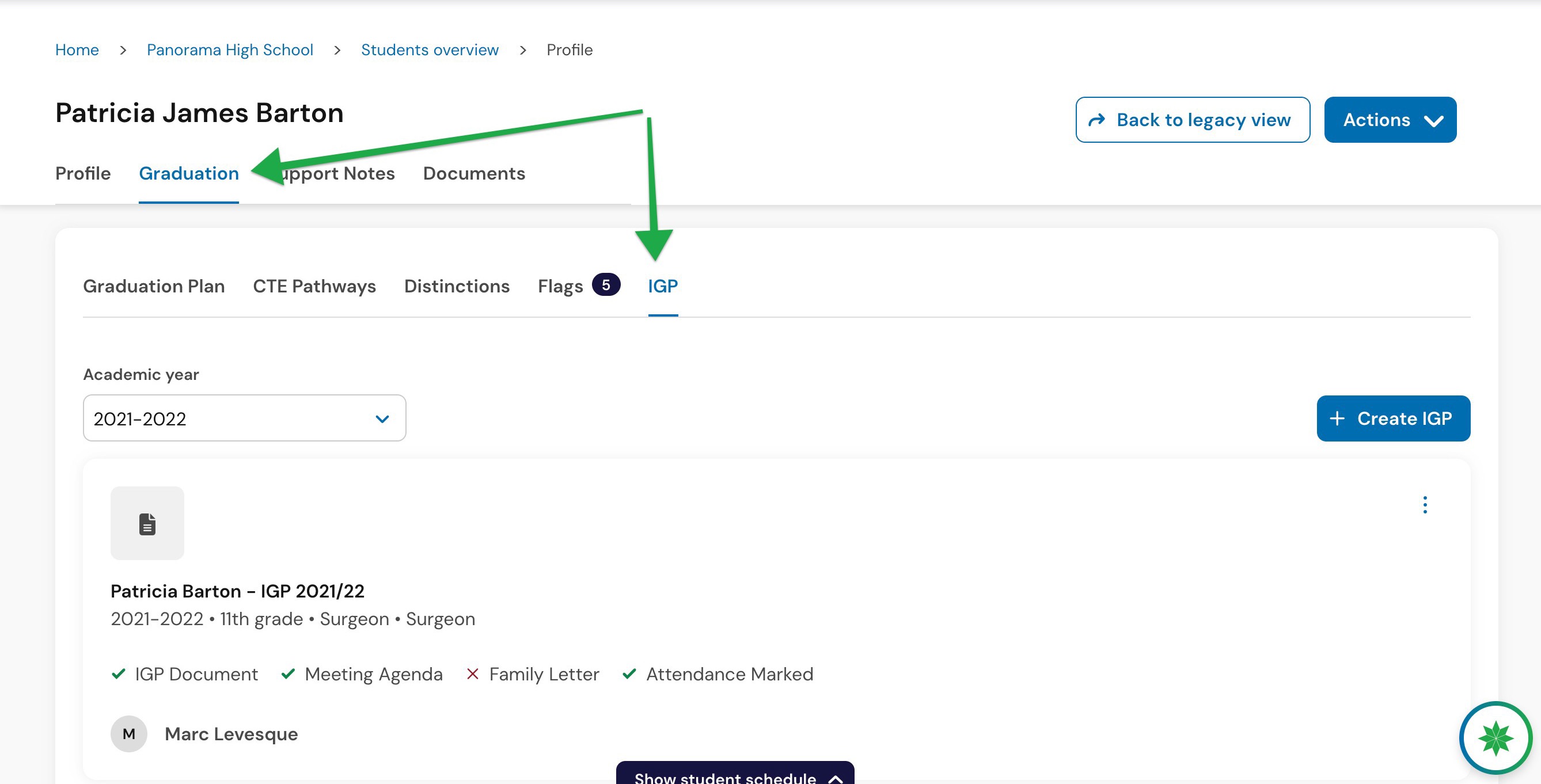
Select Create IGP.
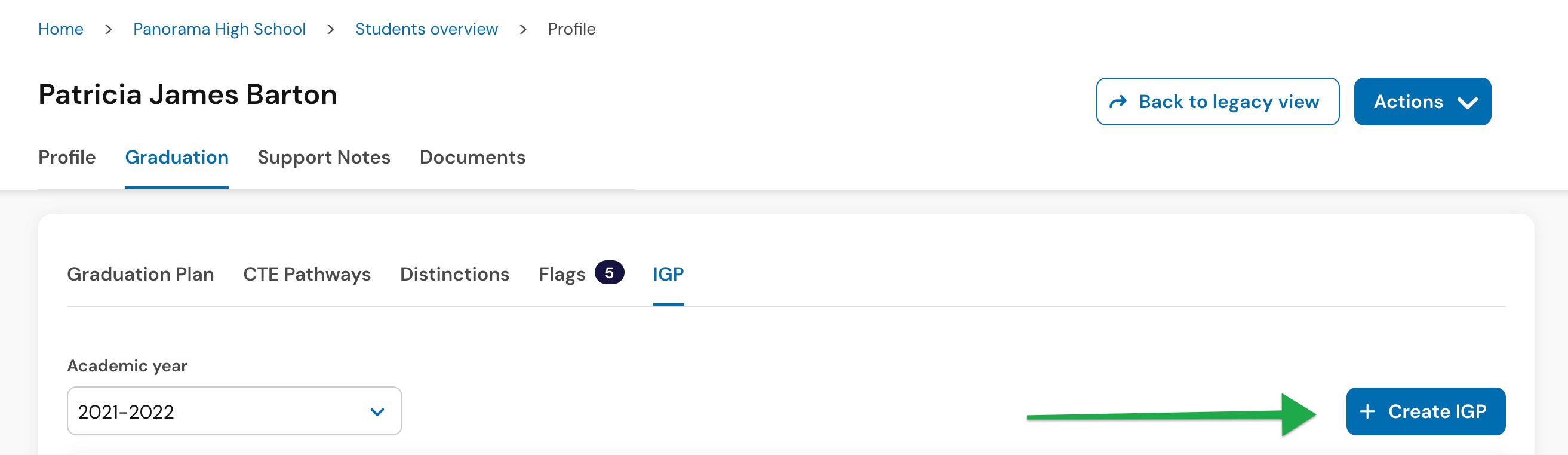
Enter the IGP name.
Add a prior IGP reference if needed.
Select or enter the career goal.
Select or enter the career cluster or CTE target.
Select the post-secondary plan.
![[SANDBOX] Patricia James Bart… Success Panorama Education 2026-07-13 at 3.02.27 PM.jpg](https://assets.usepylon.com/4945f209-9c9f-423d-9570-ce358cc19f0b%2F1783969363941-%255BSANDBOX%255DPatriciaJamesBart%25E2%2580%25A6SuccessPanoramaEducation2026-07-13at3.02.27PM.jpg?Expires=253370764800&Signature=dBRgytsKRaBkWacaBo2ZEbUIX5Hxhk6o-3ccjgyu-pxeARgAsFZddHOwo3syhUYBlqjQgMQfv2FKGFIyQr2s9lbFV31mOnLcyZiJdSa4b-U1aKpPuy9PDTbd3JRhgF6JLC6QRgKdh~e0rwg0kzFHZha5jaxElGhtdPs4XOp9HFZhLyZ0md8Jg6KJsKdf4P4dNCIiiwp3bvNa621yM18E47Q-vPi6pYS5gV5MQZcLBo9sOTUlgA4ZX5S135Z2Lf80mT3AcLdzrzN-z-B0rN-i1KGW9Qi9znIdghp7GogZ9RqqWzKGoN-nqHTXA70ZWKS2s-YRJaxnNrAvmFFLrAe5yw__&Key-Pair-Id=K3NV4LZ47N8M46 "[SANDBOX] Patricia James Bart… Success Panorama Education 2026-07-13 at 3.02.27 PM.jpg")
Select Generate IGP.
After generation, review the draft carefully before sharing it or relying on it. The IGP uses AI-generated content, so educator review is always required.
What the generated IGP includes
When relevant data is available, the generated IGP should include:
Header and student context
Career opportunities
Recommended career cluster and CTE pathway
Academic progress and graduation requirements
CTE progress
Distinction progress
Post-secondary recommendations
Scholarship and financial aid opportunities
Action steps
If scholarship data is limited, it the IGP will report this on the plan. If local or state data is unavailable, recommendations will be generated from national data.
How to edit an IGP
Open a saved IGP from the student profile and make edits directly in the document editor.
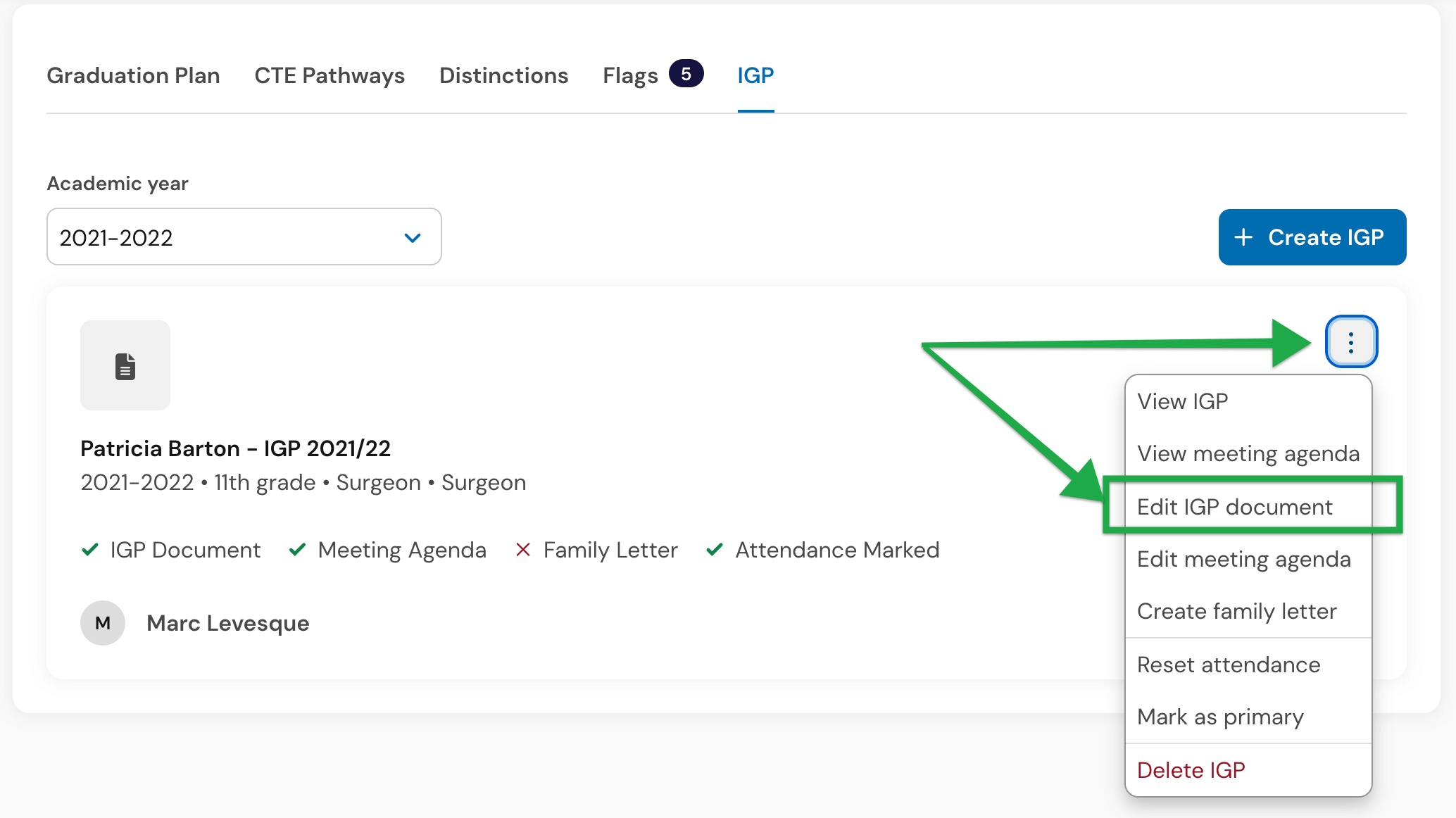
You can also ask the chat to revise specific parts of the artifact, such as updating a career goal or making next steps more specific. The updated IGP autosaves when updates are made so no progress is lost.
You can use the document editor for direct changes when you know exactly what needs to change. Use the chat window when you want targeted revisions while keeping the rest of the plan intact.
![[SANDBOX] Patricia James Bartâ_¦ Success Panorama Education 2026-07-14 at 11.25.15 AM.jpg](https://assets.usepylon.com/4945f209-9c9f-423d-9570-ce358cc19f0b%2F1784042747759-%255BSANDBOX%255DPatriciaJamesBart%25C3%25A2_%25C2%25A6SuccessPanoramaEducation2026-07-14at11.25.15AM.jpg?Expires=253370764800&Signature=rWKjXZdmsOJPLfzCPnG5ja0hCg1-nR-oBKw55YG~xOoP6arxpRrO88zgiRGipnk~NXFKzWTCvv68ZTSz0txcki~o1MB7NxAxMVFywjDFB2TFsgHGDpDzDLLjykhxjsDHxuzi-oSImlC18zeoW~TgV1fJqZmplBq-8-aA9gGgu8aHCMI1~MyNEEaOaBExfKtQqRVNpdYmISbTobKL232vVGOjUiG5UXgUwBoqq5vrZB6jZ0CVebm6-ibpy1ToSqHB1F0r2lGNu7s7FC40dojXNu9M8KH4Ks3hVjQ2MUVll-cSmkGE244EdxzohX2Dq06iiioNFDrfzcOiXJXbxVr1Sw__&Key-Pair-Id=K3NV4LZ47N8M46 "[SANDBOX] Patricia James Bartâ_¦ Success Panorama Education 2026-07-14 at 11.25.15 AM.jpg")
How to create a meeting agenda
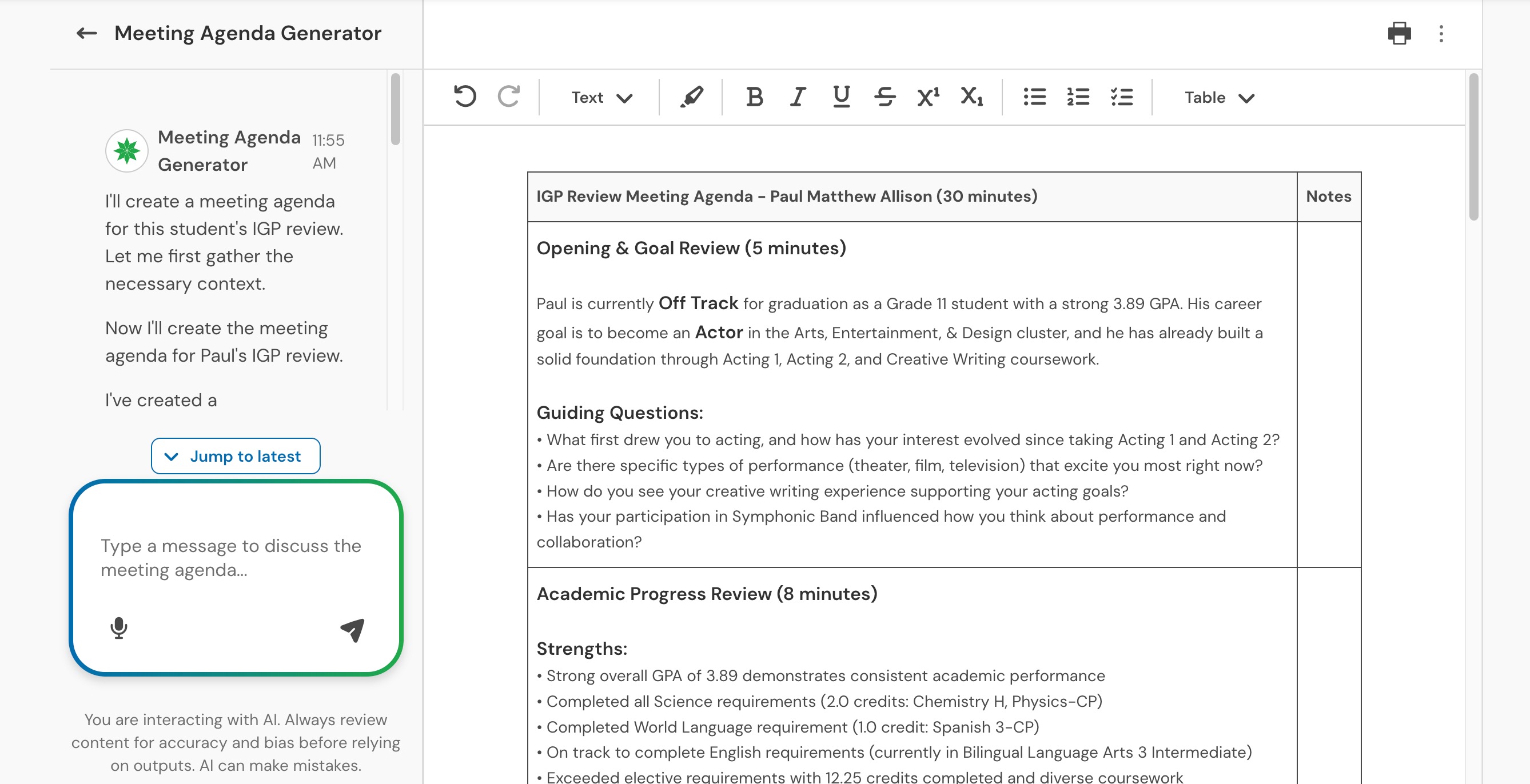
From a saved IGP, select Create meeting agenda.
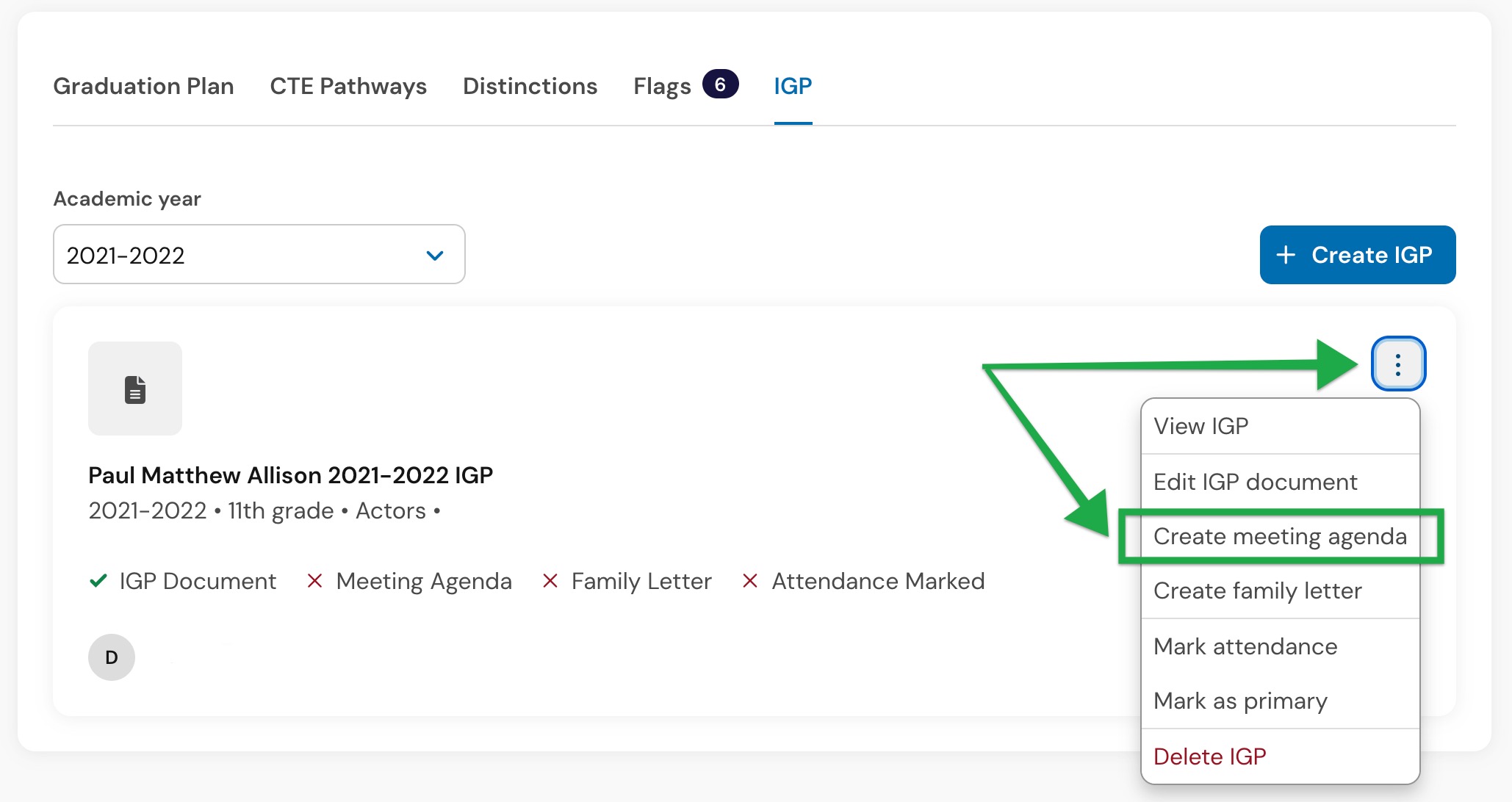
The agenda is based on the selected IGP and should include opening and goal review, academic progress review, CTE or pathway planning, distinctions and certifications, and next steps and action items. It is editable, printable, and exportable.
How to create a family letter
From a saved IGP, select Create family letter.
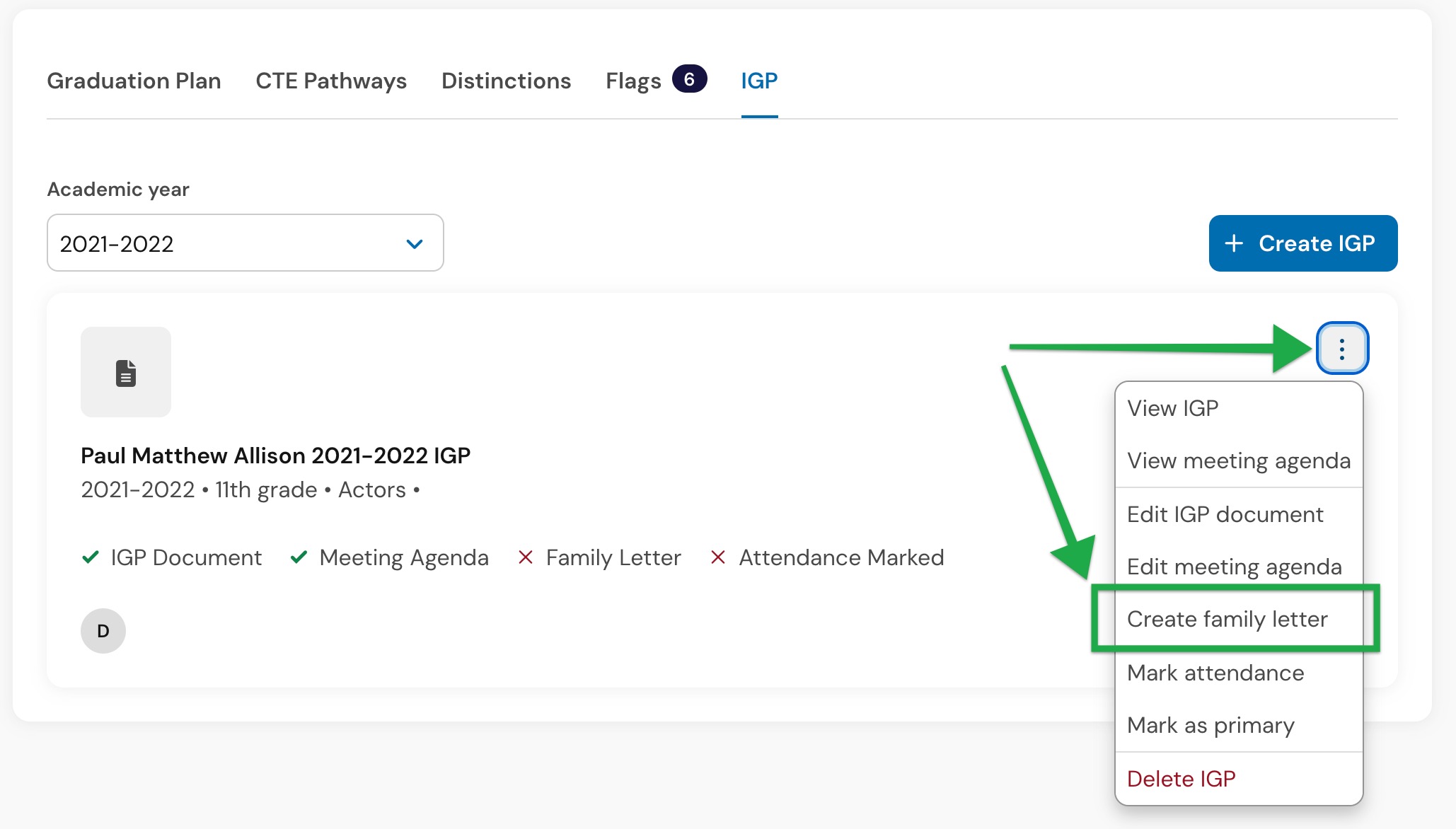
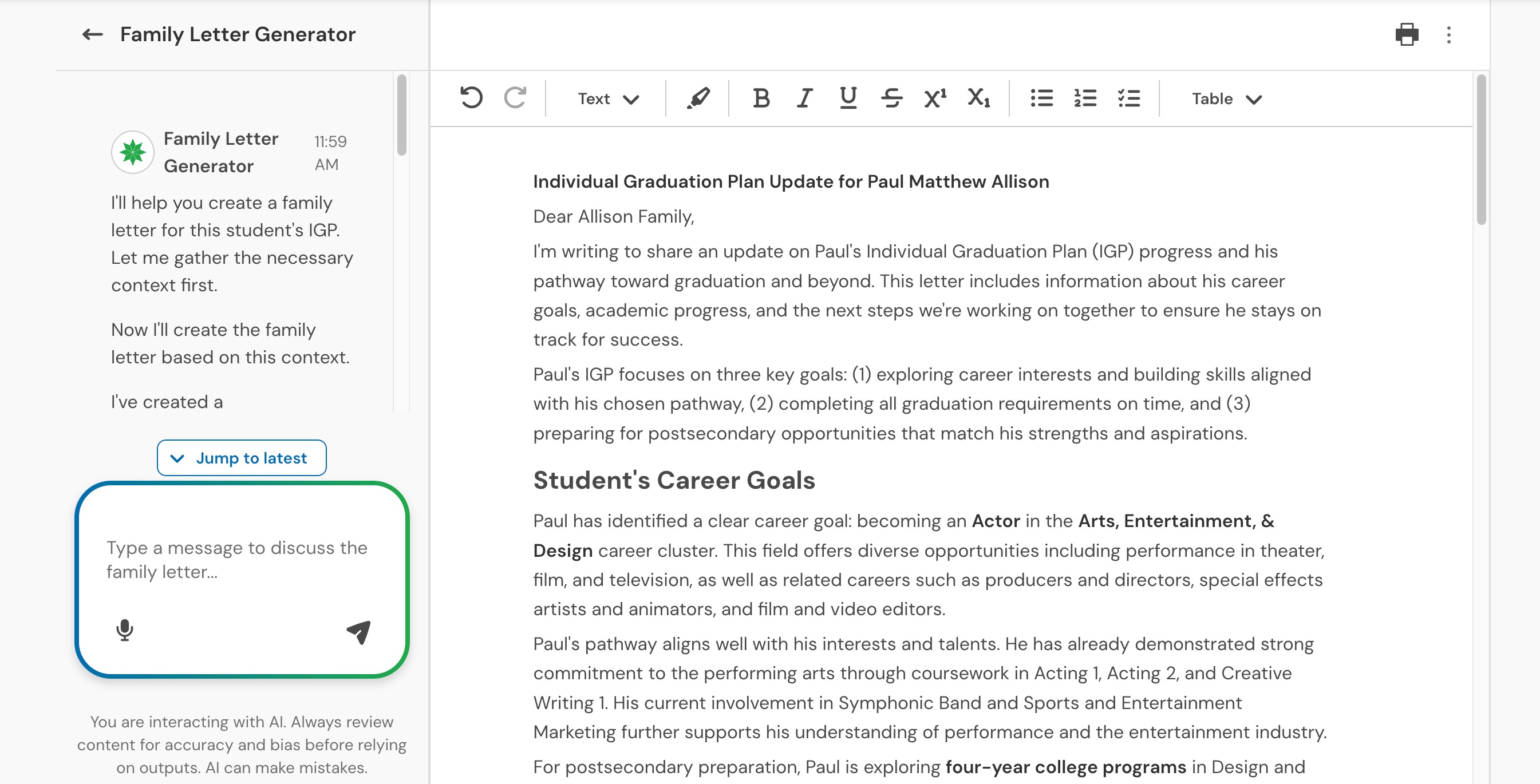
The letter generated will be drafted in plain-language, will be family-friendly, explain the student’s goals and progress, and include concrete ways the family can support the plan. It is editable, printable, and exportable.
Finalizing an IGP
Counselors can finalize an IGP once required finalization information is present.
Finalization requires attendance type, attendee type, and a saved IGP artifact. Only one finalized IGP per student per school year is allowed. If a finalized IGP already exists, the system should make that status change clear before proceeding.
Finalized IGPs can still be edited during the Beta unless a state-specific configuration requires locking.
IGP reporting
School and district users can review reporting at the district, school, and student levels. Reporting includes counts and percentages of students with no IGP, in-progress IGPs, and finalized IGPs, plus distributions by career goal, career cluster or CTE target, and post-secondary plan. Student-level reporting can also be filtered and exported as CSV.
Frequently asked questions
Can students edit the IGP themselves?
No. The Beta is educator-led, and there is not a directly student-facing view planned. Students benefit from the resulting plan and follow-up communication.
Can I start from a prior IGP?
Yes. You can start from no prior reference, a prior Panorama IGP, or an uploaded prior IGP document. Current Pathways data remains authoritative for current progress and student attributes.
Do I need graduation plans and CTE tracking enabled?
Yes. Graduation plans and CTE tracking need to be enabled for IGPs to be generated and for users to have access to the IGP Beta.