Compare survey results to organization groups
Last updated: September 30, 2026
Organization Group Comparisons let you compare topic-level survey results with groups that reflect how your organization is structured, such as regions, networks, wards, clusters, or feeder patterns. Use these comparisons to add organizational context when reviewing survey results.
Who this is for: Any users with access to organization group data within Survey Reporting can. This is only relevant for districts or organizations that utilize the "Organization Group" functionality within Panorama. Available comparisons depend on your report, organization structure, and configured permissions.
Understand organization group comparisons
Survey results are often compared with a district or another broader benchmark. Organization Group Comparisons provide additional context by allowing eligible reports to use organizational groups that are meaningful to your organization.
For example, instead of comparing a school's results only with the entire district, you may be able to compare the school with its region, network, grade span, cluster, or feeder pattern.
This can help you understand how results relate to schools or groups that share a similar organizational context.
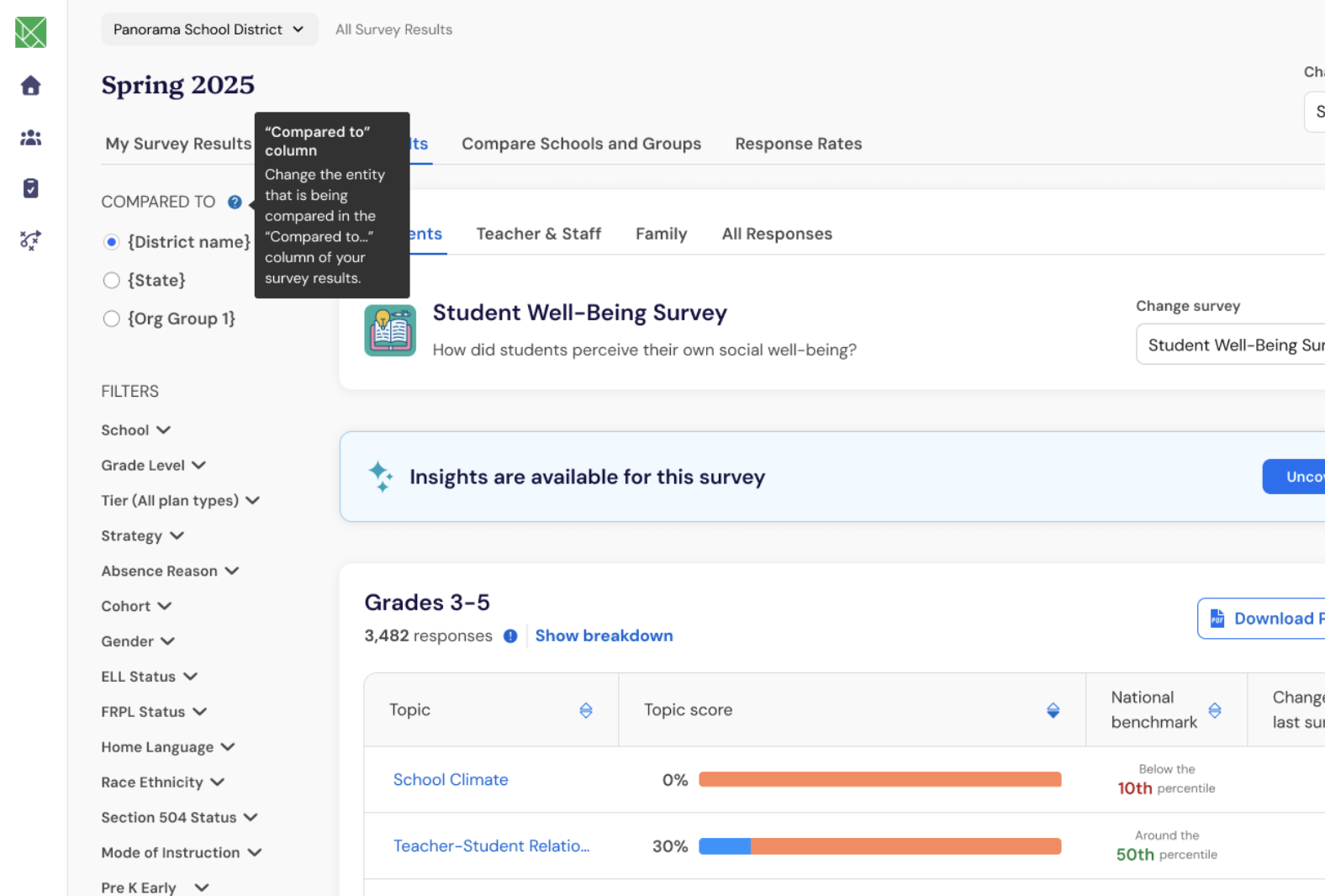
See which comparisons are available
The comparisons you see depend on the organization you are viewing and the comparison options configured for your survey reports.
Available options may include:
School
Organization group
District
State or full organization
Organization group names may reflect your organization's structure, such as a region, ward, cluster, network, or feeder pattern.
You will only see organization groups that apply to the organization currently selected in your report. For example, a school in one region can be compared with that region, but not with another region it does not belong to.
When only one comparison is available, Panorama applies that comparison automatically and does not display additional comparison options.
Note: Not every organization will see Organization Group Comparisons. Organizations without configured comparison groups will continue using their existing report comparisons.
Select a comparison for your survey results
When multiple comparison options are available, choose the comparison that provides the context you want to understand. A district or broader organization comparison provides system-wide context, while an organization group comparison adds context from the region, network, cluster, or other group the selected organization belongs to.
From an eligible Survey Reporting report, open the Overview page.
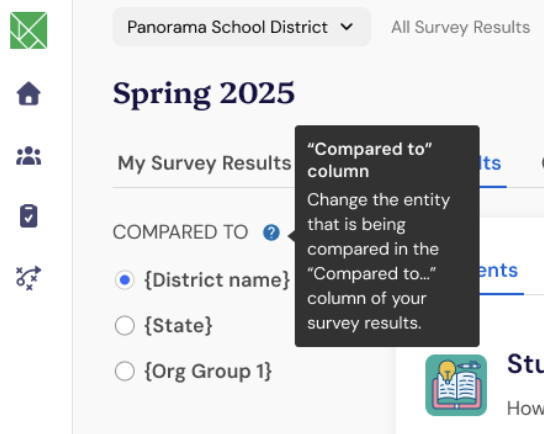
In the report sidebar, locate Compare to.
Select the organization or organization group you want to use as your comparison.
Panorama updates the report to show your topic results alongside the selected comparison.
The selected comparison applies across the report templates for the current survey project.
Interpret organization group comparisons
Organization Group Comparisons show aggregate results for the selected comparison group. They provide context for your results without exposing individual responses.
For example, a school may have results above the district comparison but below the comparison for its network. Reviewing both comparisons can provide additional context for conversations about strengths, priorities, and support.
Comparison results do not change how your survey scores are calculated. They change the benchmark you use to interpret those scores.
Frequently Asked Questions
Will every school have the same comparison options?
No. Comparison options depend on the school or organization selected in the report. Schools that belong to different regions, networks, or other organizational groups may see different options.
Does changing the comparison change my survey results?
No. Changing the comparison does not change your survey responses, scores, or calculations. It changes the benchmark displayed alongside your results.
Can I compare question-level results to an organization group?
No. This release supports organization group comparisons for topic-level results only.
Can I see the individual responses behind a comparison?
No. Organization Group Comparisons provide aggregate comparison results and do not expose individual responses.
How can I get an organization group added?
This feature is something you should discuss with your Panorama project team. Only applicable districts and organizations are able to set up organization groups.