Can I download or print Playbook moves as PDFs?
Last updated: September 16, 2026
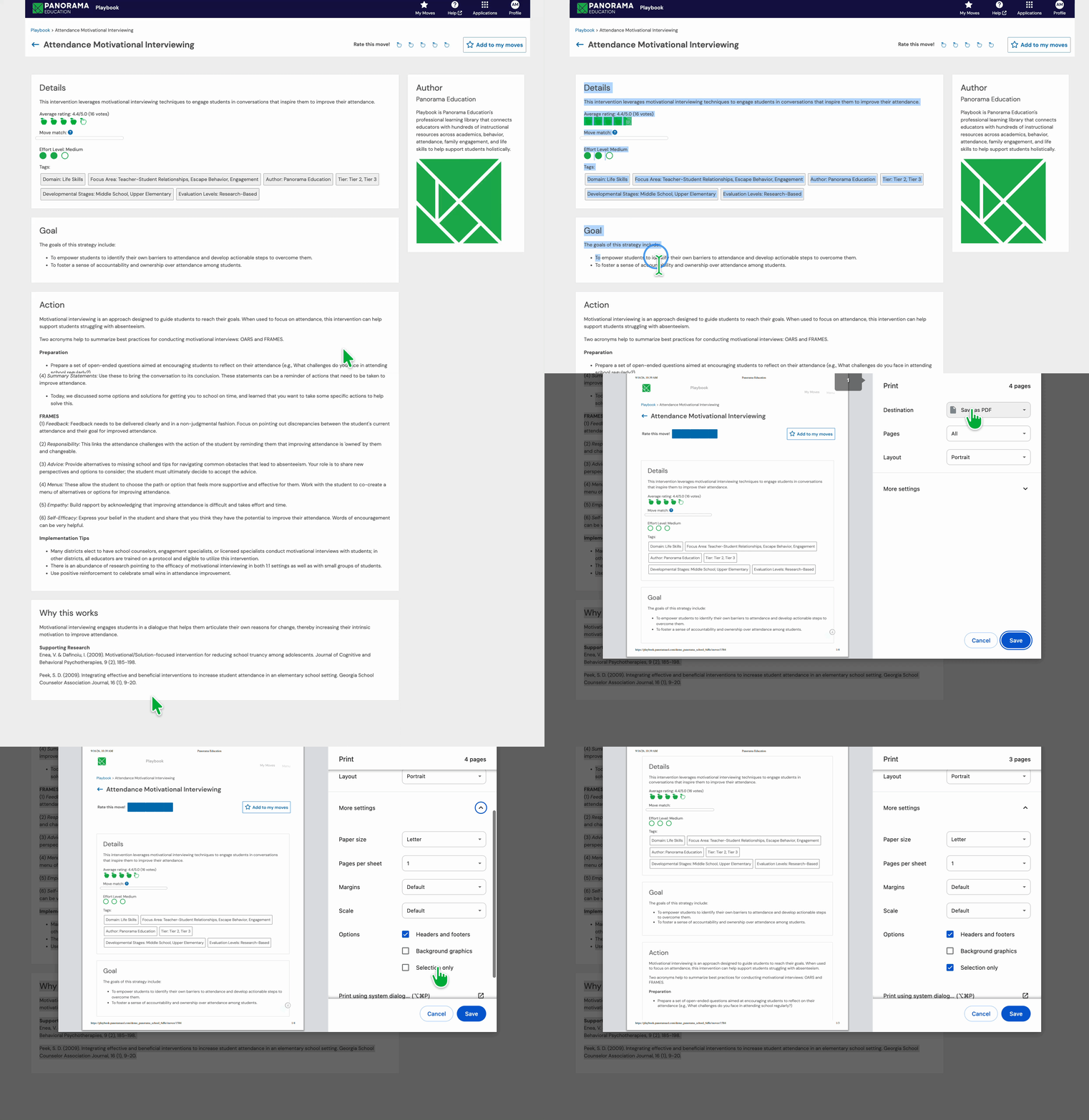
The best way to download or print a Playbook move as a PDF is to use your browser’s print option and choose Save as PDF.
Printing or Saving a Playbook Article as a PDF
Open the Playbook move you want to print or save.
Use your browser’s print option. This is usually available by selecting Print from your browser menu or using the keyboard shortcut Command + P on Mac or Ctrl + P on Windows.
To prevent any extra logos from printing in your PDF, you can highlight a specific page of the page. Within your print settings you can also choose to print the highlighted "selection only."
In the print window, choose Save as PDF as the destination or printer.
Save the PDF to your device, or print the page if you prefer a paper copy.
Some individual Playbook strategies also include attached downloadable resources such as facilitator guides, worksheets, or slides that can be printed or saved.
Finding Strategies with Downloadable Resources
To discover strategies that include downloadable materials, use the Resource Features filter within Playbook and look for options such as:
Facilitator Guide
Adult Worksheet
Student Worksheet
Checking a Specific Strategy for Downloads
If you already know the strategy you're looking for, navigate directly to its page in Playbook. Any available downloadable attachments, such as guides or worksheets, will appear on the strategy page itself if they are included.
If no downloadable resource is listed on the strategy page, you can still use your browser’s print option to print the page or save it as a PDF.