Use Pathfinder to explore careers and CTE programs
Last updated: October 21, 2026
Pathfinder helps you explore careers that match your interests and connect them to Career and Technical Education (CTE) programs at your school. You can compare options, save careers and CTE programs, and revisit them as your interests develop.
Related article: CTE Pathways Page Overview (For Students)
Who this is for: Students
Access requirements: Your school or district needs to provide student access to Panorama Pathways and turn on Pathfinder. If you need access, ask your counselor, teacher, or another member of your school team.
What Pathfinder helps you do
Pathfinder brings career exploration and local CTE opportunities into one connected experience.
Use Pathfinder to:
Identify themes that connect your interests and strengths.
Discover individual careers that you may want to explore.
Find CTE programs and courses available through your district.
Ask about local programs and opportunities when your district has connected those resources to Pathfinder.
Review education, wage, and employment outlook information.
Compare careers and CTE programs through conversation.
Save careers and CTE programs to revisit later.
Connect your interests to your current CTE progress.
Pathfinder recommendations provide starting points for exploration. You do not need to choose one career or CTE program before you begin.
Get personalized recommendations
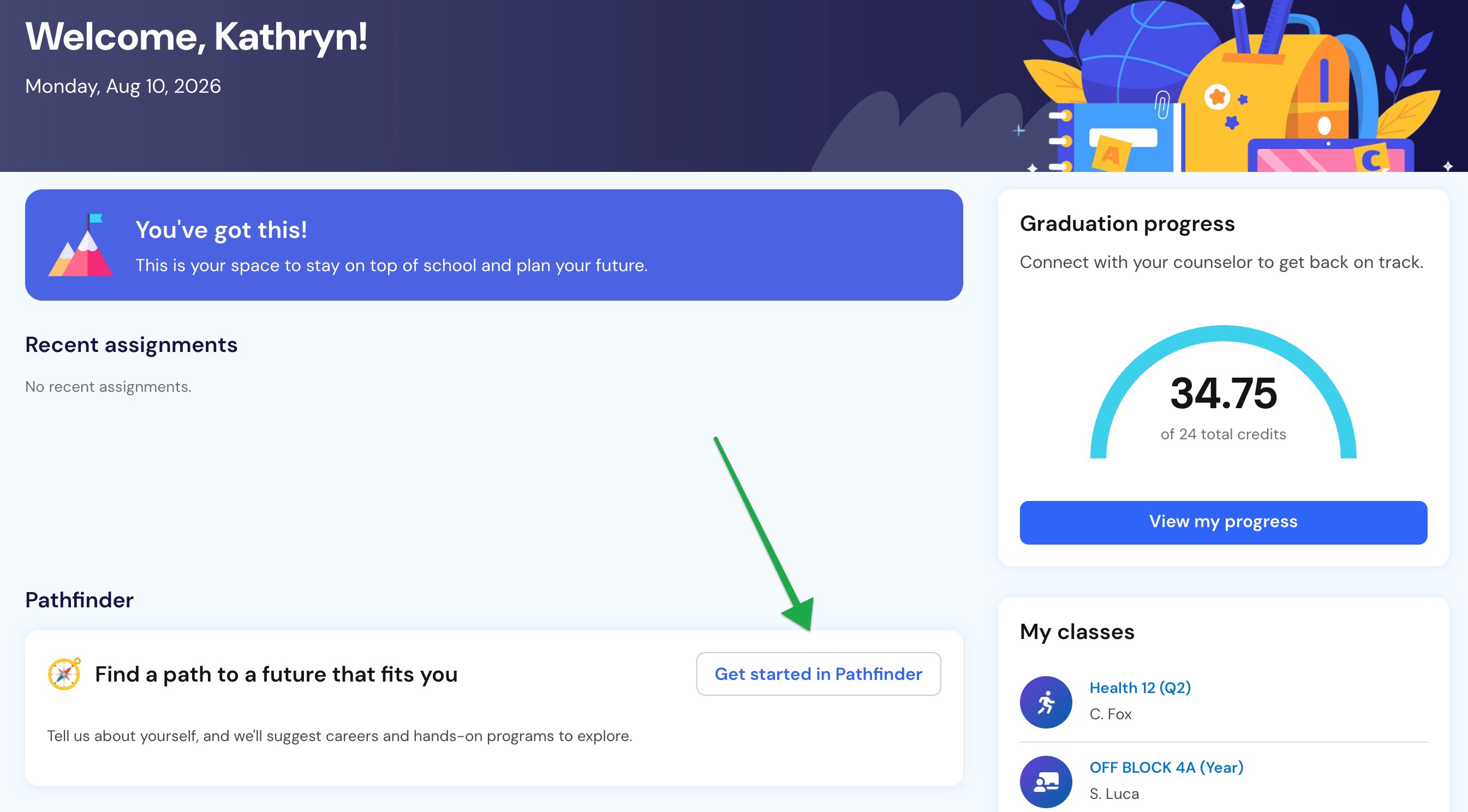
1. Open Pathfinder
From your Panorama Pathways homepage in Panorama for Students, select Get started in Pathfinder.
If the Pathfinder section does not appear, your school or district may not have turned on the full experience.
2. Answer the interest prompts
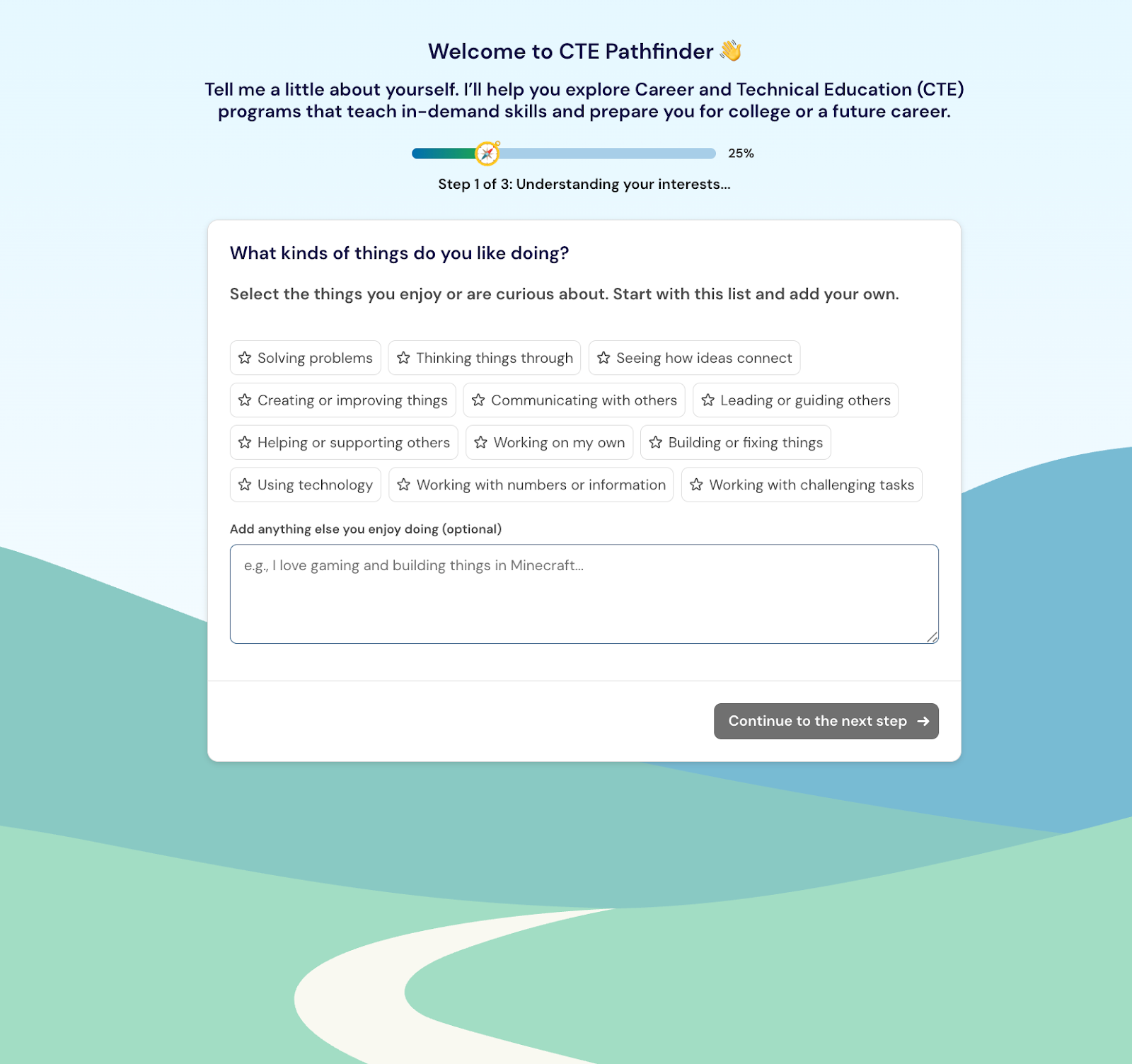
Respond to the short prompts about your interests, experiences, preferred activities, and possible career ideas.
Pathfinder may ask about:
Activities you enjoy.
Problems you like to solve.
Courses you enjoy or want to build on.
Ways of working that interest you.
Strengths or experiences you want to use.
Careers or fields you are already considering.
Enter a custom response when the available choices do not fully represent your interests.
3. Review your themes and recommendations
Review the personalized themes, careers, and CTE programs Pathfinder recommends.
Themes help explain the connections among several recommendations. A theme might connect careers and programs that involve designing, helping people, solving technical problems, or organizing information.
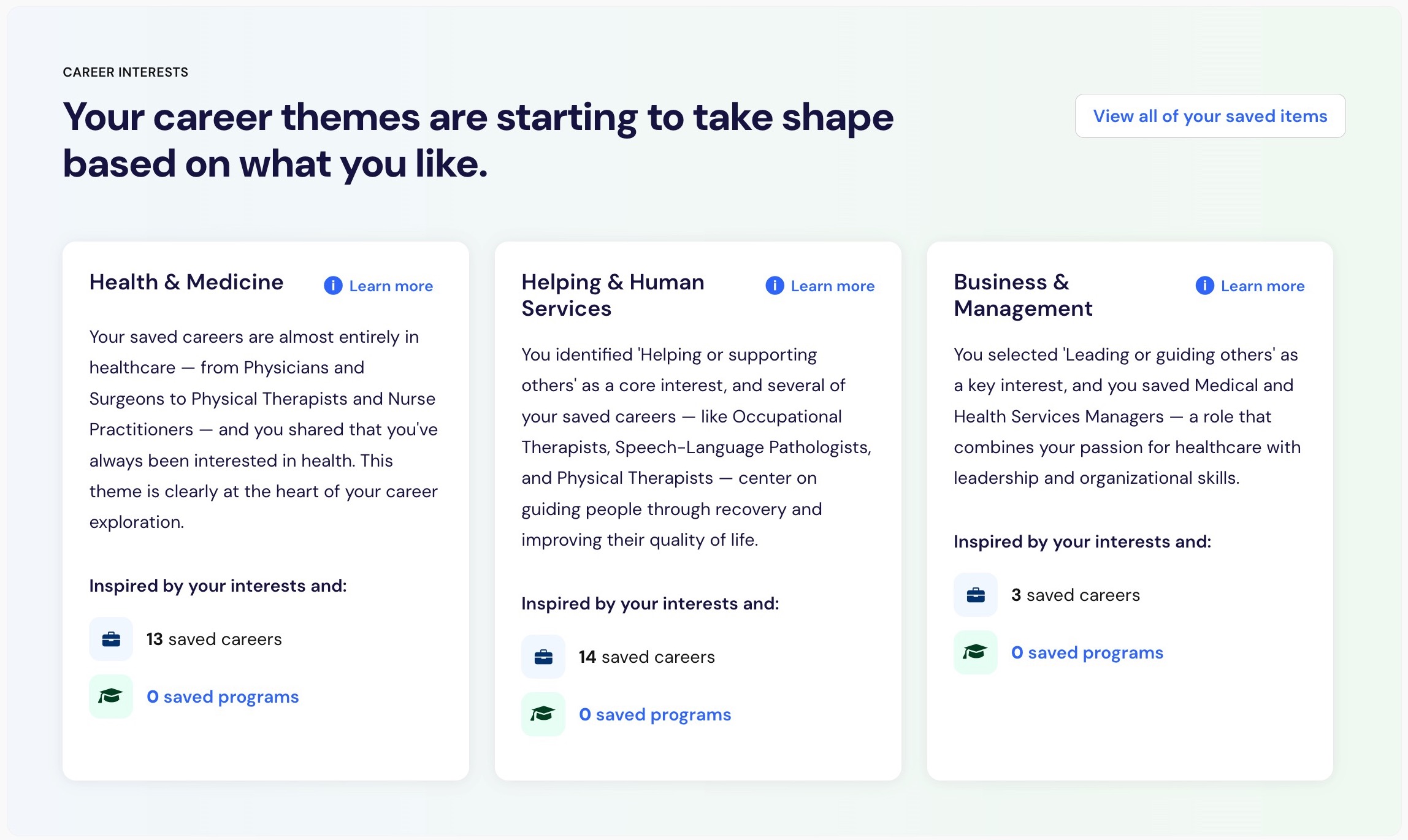
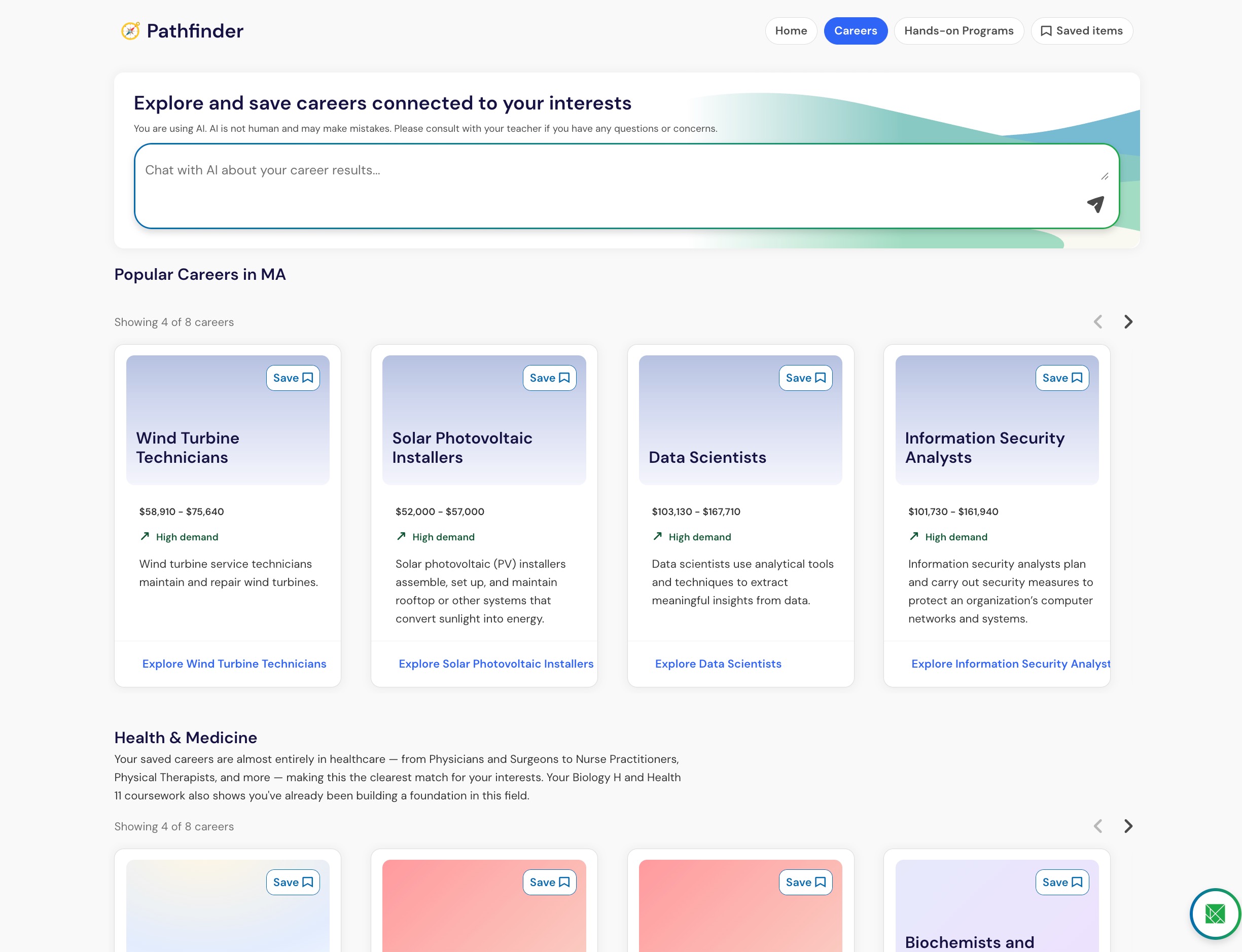
Pathfinder displays themes and recommendations based on your available information and your district’s CTE programs.
Explore and save your options
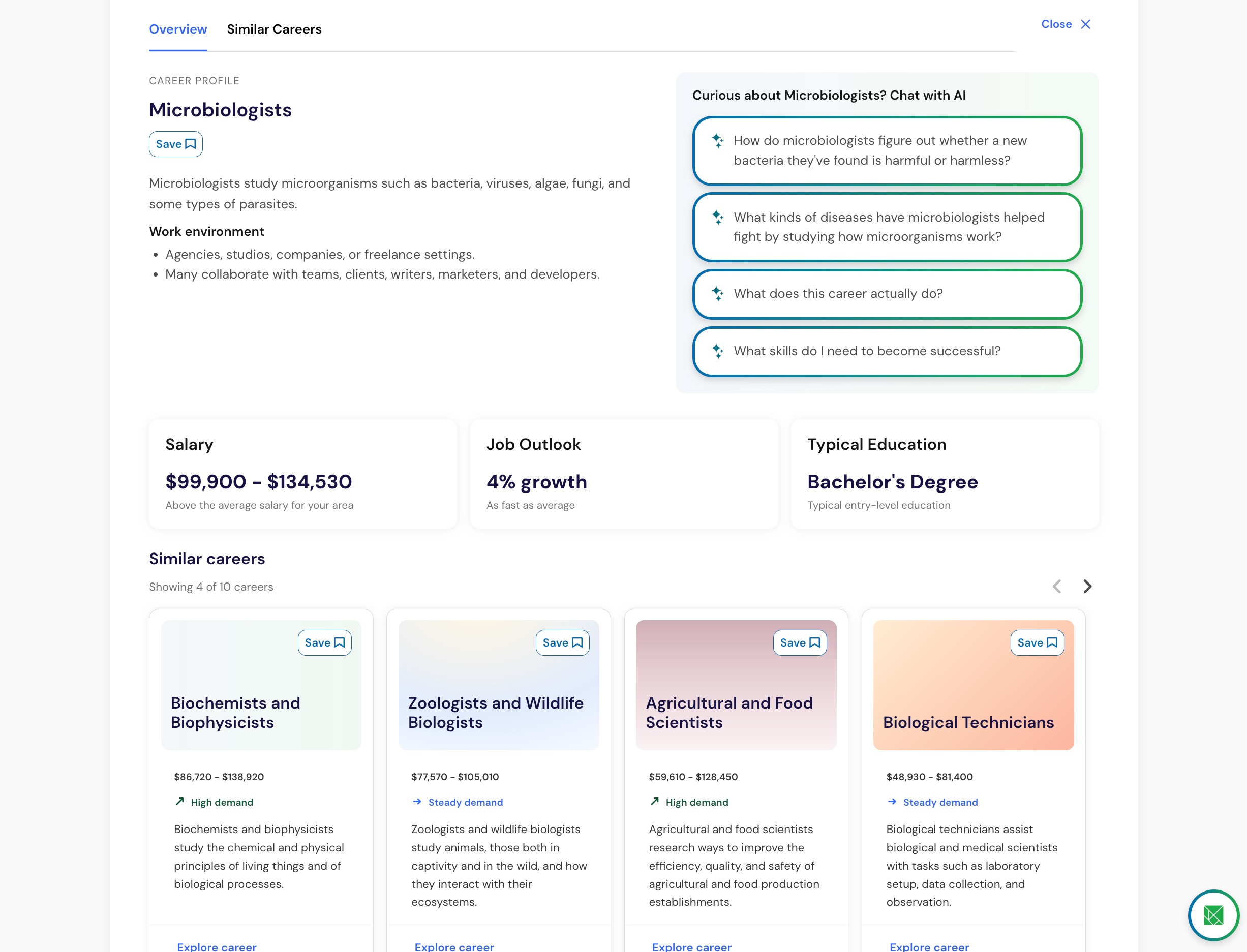
1. Open a career
Select a recommended career to review its details.
Career information may include:
A description of the work.
Why the career may connect to your interests.
Typical education or training requirements.
National or local wage information.
Projected employment outlook.
Related careers.
Related CTE programs and courses available through your district.
Wage and employment information supports exploration and planning. It does not guarantee a particular salary, job opening, or future outcome.
2. Open a related CTE program
Select a related CTE program to learn how the career connects to opportunities at your school or district.
CTE program information may include:
A description of the program.
Courses connected to the program.
Certifications or credentials students may pursue.
Careers related to the program.
Your progress toward the program, when available.
You can also begin with a CTE program and open one of its related careers based on what interests you.
3. Compare options through conversation
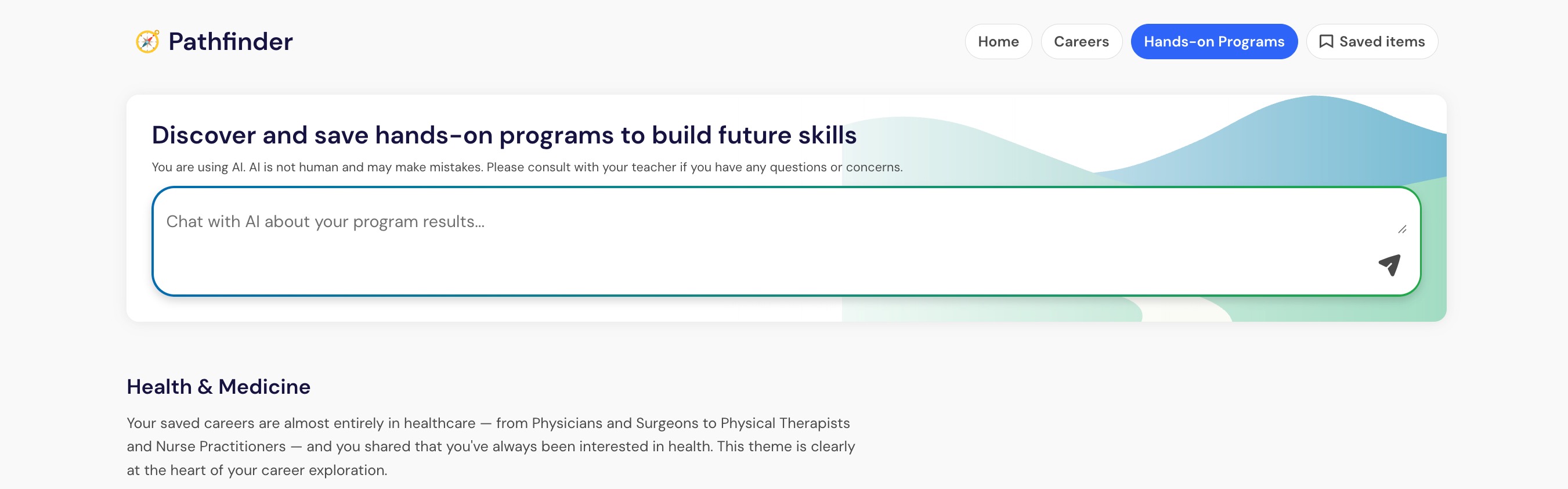
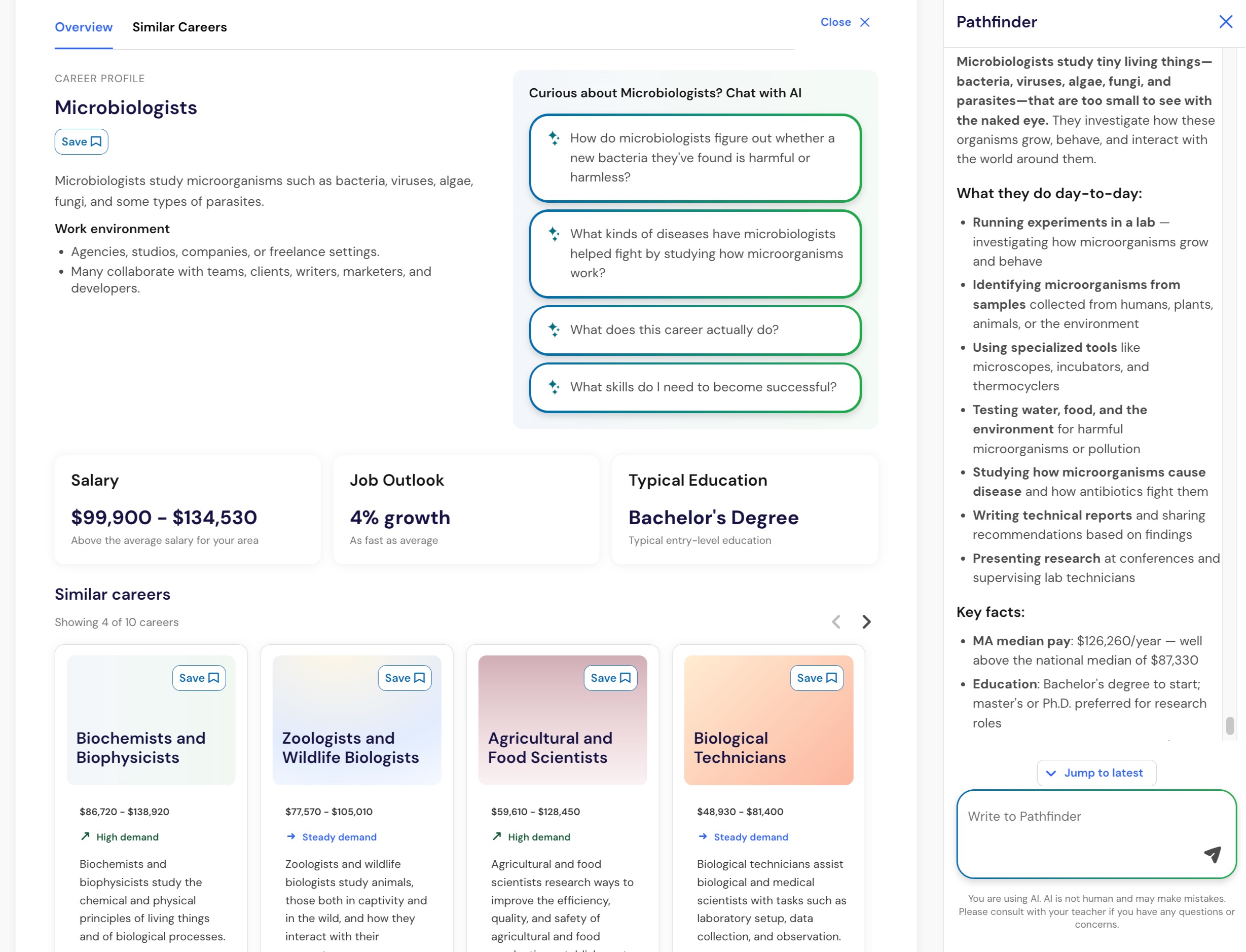
Use the Pathfinder conversation to ask questions or refine your recommendations.
You might ask:
Why was this career recommended for me?
How are these two careers different?
What education would I need?
Show me more careers related to healthcare.
Which CTE program at my school connects to this career?
What careers connect to this CTE program?
What other options use similar interests or strengths?
Pathfinder conversations focus on career and CTE exploration. Pathfinder is not a general-purpose chat tool.
4. Save careers and CTE programs
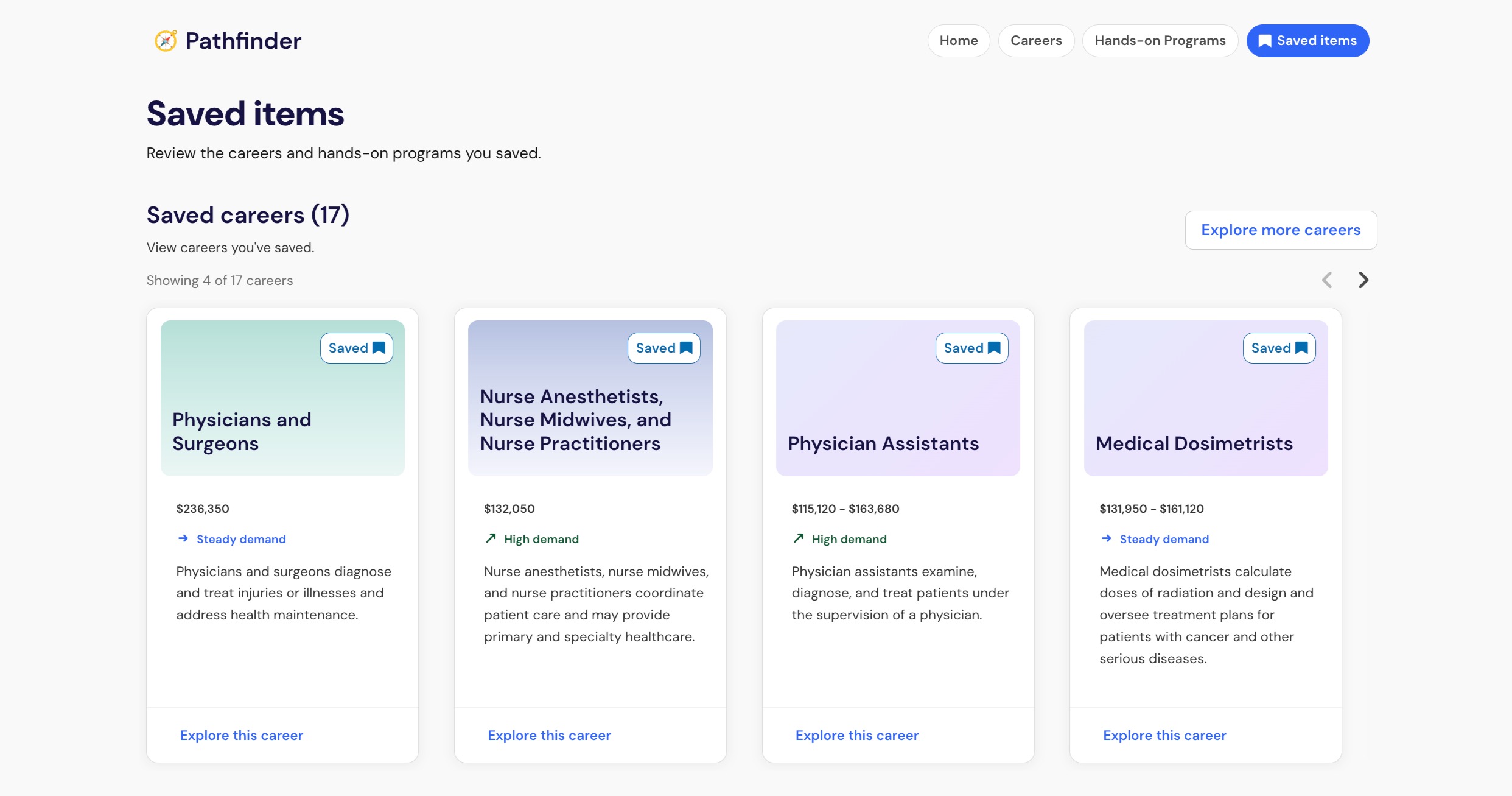
Select Save for each career or CTE program you want to revisit.
You can save several options while you compare different possibilities. Saved careers and CTE programs remain separate, so you can explore different combinations over time.
Important: Saving a career or CTE program does not enroll you in a course, change your schedule, or assign you to a program.
5. Review your CTE progress
Open your Pathways profile to review your saved CTE programs and progress toward their requirements.
You may also see progress toward CTE programs you have not saved. Comparing progress and interests can help you prepare for a conversation with a counselor.
Career exploration does not create a separate career-progress calculation. Progress is based on your district’s configured CTE requirements and your Pathways information.
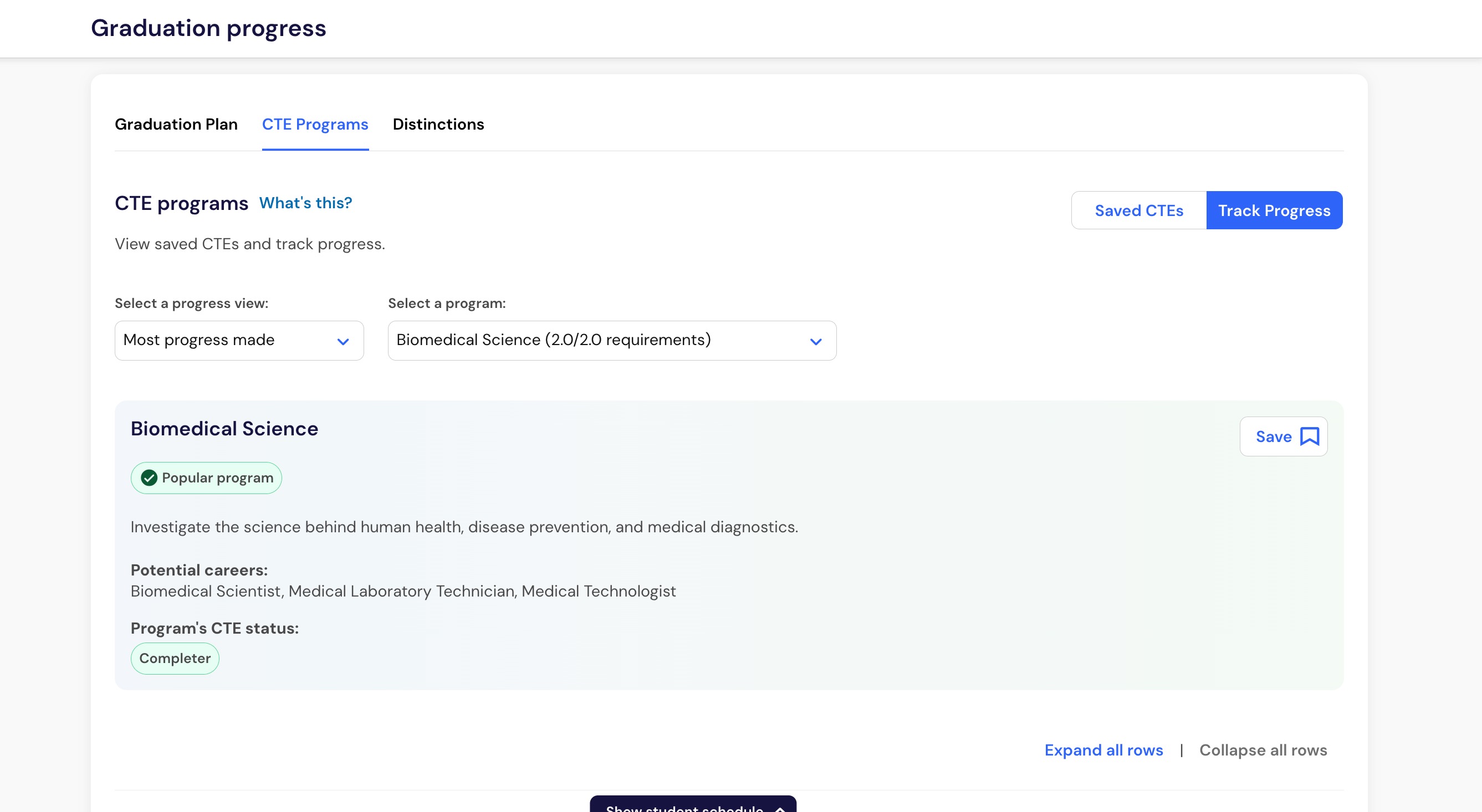
You now have saved careers or CTE programs that you can revisit and discuss with a counselor, teacher, or trusted adult.
Ask Pathfinder about opportunities in your district
When your district connects its resources to Pathfinder, you can ask questions about local courses, CTE programs, internships, training options, and financial supports.
In your Pathfinder conversation, try questions like:
Which IT pathways are offered at my school?
I took Intro to Engineering. What usually comes next?
Are there hospital internships through school, and what are the requirements?
Where can my family get help with FAFSA?
Pathfinder can use information from your district's resources to answer these questions and cite the source. You can review the cited source for additional details.
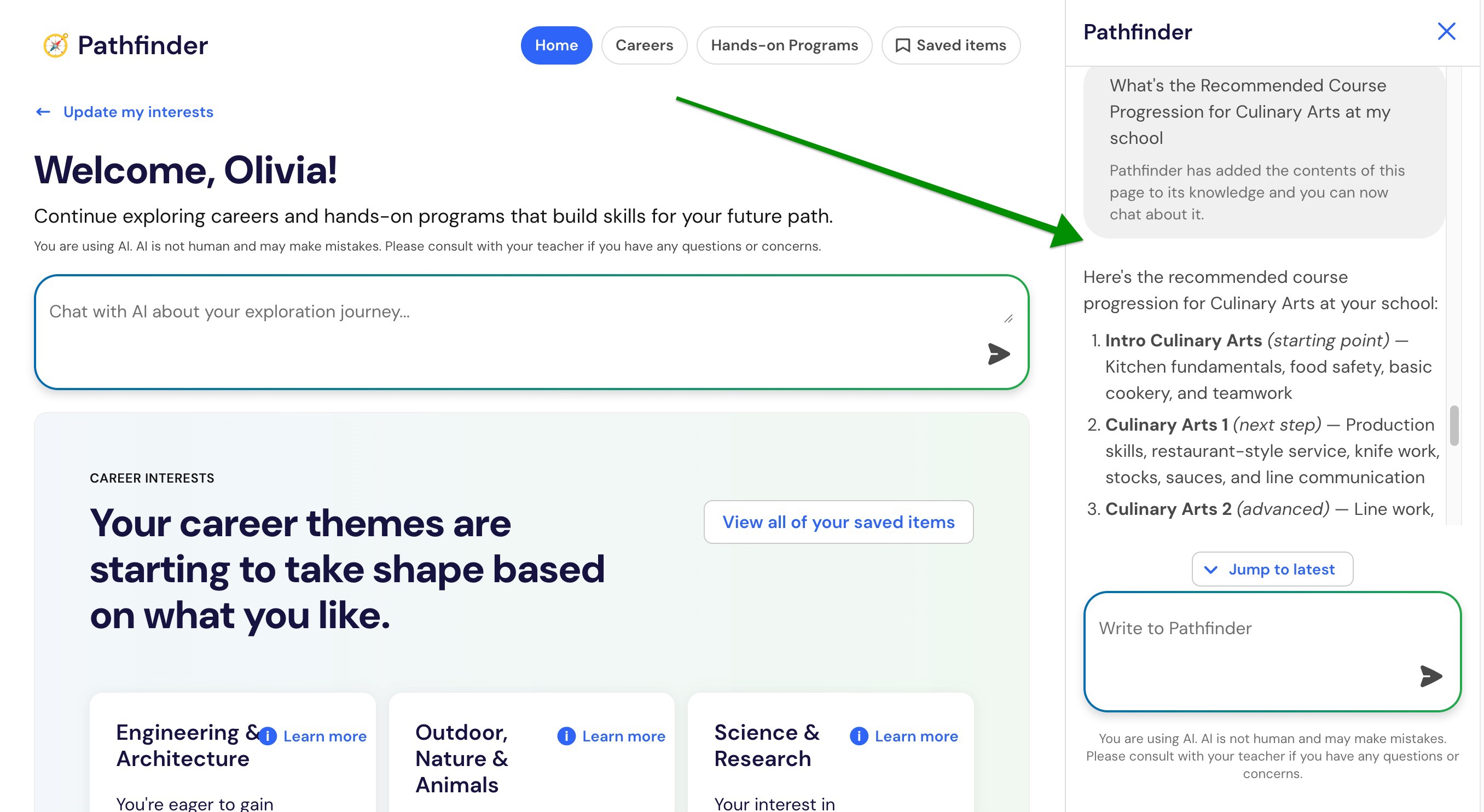
Pathfinder continues to use its career information sources for general education requirements, wages, and employment outlook.
Important: Pathfinder can explain documented requirements, but it cannot confirm your eligibility, enroll you in programs, or check real-time availability. Ask your school team to confirm deadlines, availability, and next steps.
Use Pathfinder information as a starting point
Pathfinder supports exploration rather than making decisions for you.
Consider recommendations alongside:
Your interests and goals.
Conversations with your family and school team.
Local graduation and course requirements.
Current information from colleges, training programs, and employers.
Your own questions and research.
AI-generated information can contain mistakes. Ask a teacher, counselor, or another trusted adult when information seems unclear or does not match another source.
If Pathfinder does not appear
Pathfinder may not appear when:
Your school or district has not turned on Pathfinder.
Students do not have access to Panorama Pathways.
Your district has not configured the CTE programs required for recommendations.
Ask your counselor or school team whether Pathfinder is available to you.
You may still be able to view available CTE programs, save CTE programs, and review CTE progress without AI-generated recommendations.
Frequently asked questions
Do I need to know which career I want?
No. Pathfinder is designed to help you begin exploring. You can compare several options before deciding what you want to learn about next.
Can I save more than one option?
Yes. You can save multiple careers and CTE programs and return to them later.
What is the difference between a career and a CTE program?
A career is an individual occupation or role. A CTE program is a district-configured sequence of courses and requirements connected to a career field.
How does Pathfinder create recommendations?
Pathfinder may use your responses, saved items, courses, academic progress, attendance, life skills information, and your district’s CTE offerings.
Life skills information can help Pathfinder identify additional recommendations. Pathfinder does not use life skills information to remove options from your recommendations.
Are CTE recommendations based on programs my district offers?
Yes. Pathfinder recommends CTE programs from the options your district has configured in Panorama Pathways.
Career recommendations may also connect you to related programs and courses available through your district.
Can educators view what I save?
Educators with the appropriate Pathways access may be able to view saved careers, saved CTE programs, and CTE progress. They can use this information to support advising conversations.
Does saving a career register me for anything?
No. Saving a career or CTE program preserves it for later exploration. It does not register you for courses or change your school schedule.