Update permissions for Classic Reporting (Legacy)
Last updated: September 2, 2026
As your team prepares to explore survey results in Survey Reporting, it’s essential to ensure that the right educators have access to the right data. The Survey Permissions tool in Platform Admin empowers Global Administrators to configure, manage, and update access to Classic Survey Reporting data across all user roles.
This article shows how to grant or update access to Classic Survey Reports for users in your district. Classic Survey Report permissions are managed within individual permission sets and control access to legacy survey reports, free-response comments, and completion lists.
Related articles:
Who this is for: Global Administrators
Required access: You must have access to Platform Admin and Roles & Permissions.
Open Roles & Permissions
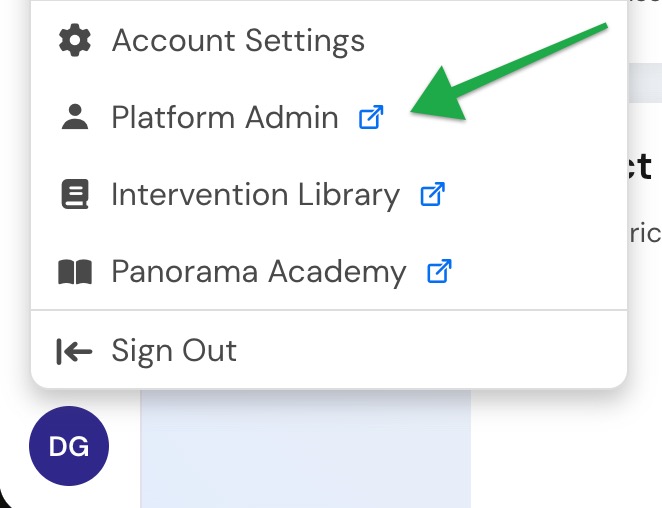
Select your initials in the lower-left corner of the screen.
Select Platform Admin.
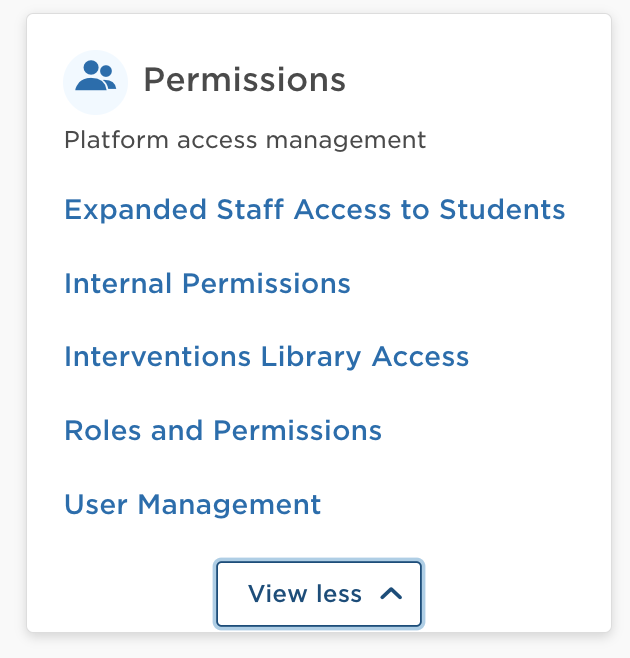
In the Permissions section, select Roles & Permissions.
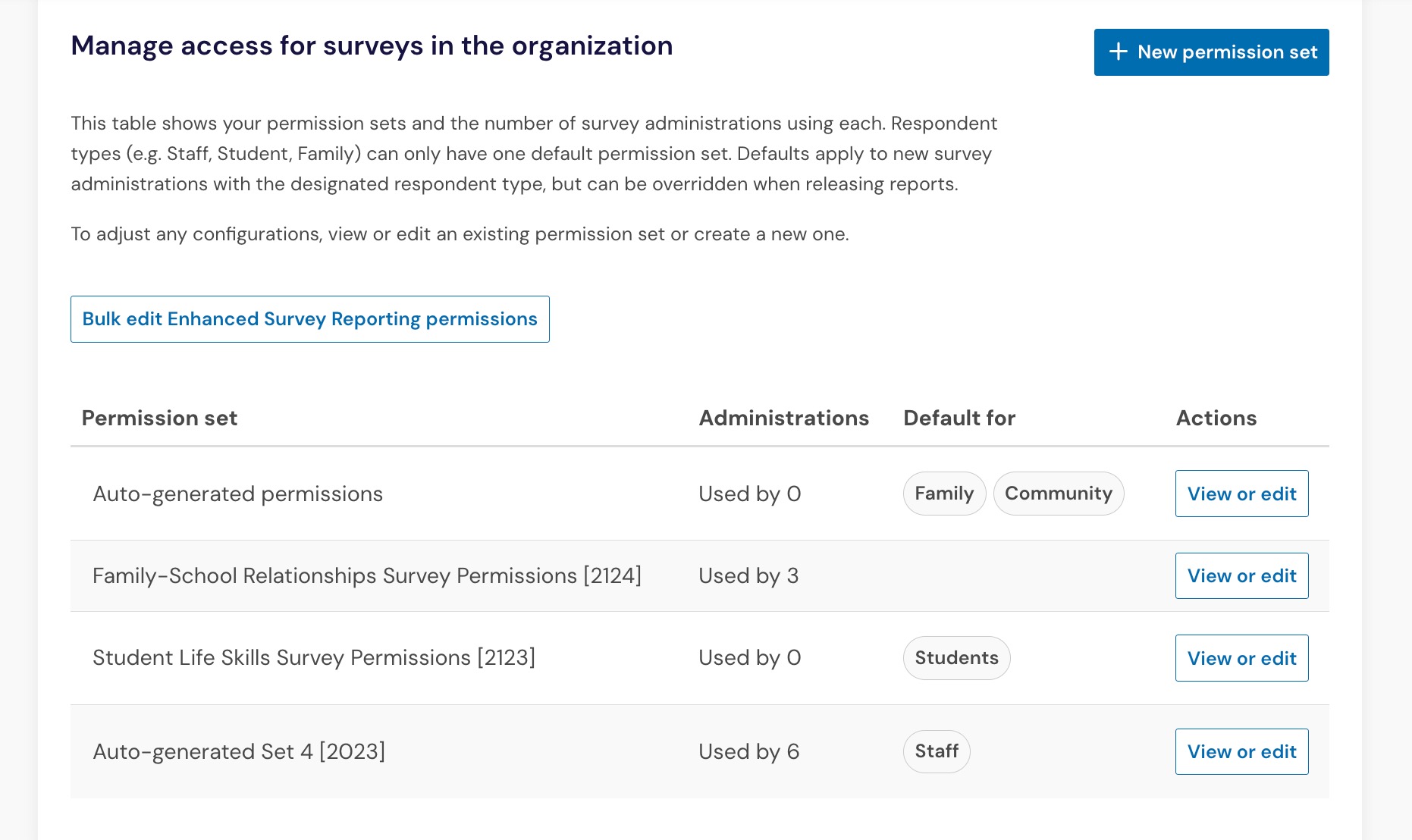
Open the Survey permissions tab.
Locate the permission set you want to update.
Select View or edit.
Update Classic Survey Report permissions
Within the permission set, scroll to the Classic Survey Reporting section.
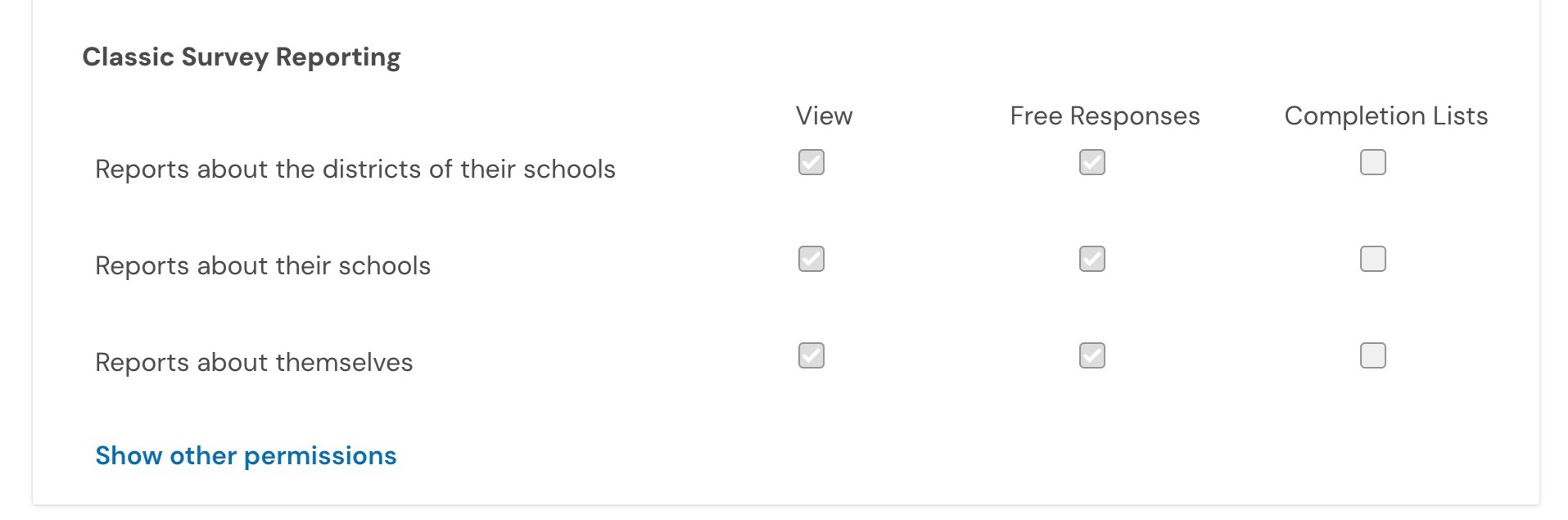
For each role, select the permissions you want to grant.
Permission | Allows users to... |
|---|---|
View | View Classic Survey Reports for the schools they have access to. |
Free Responses | View free-response comments in Classic Survey Reports. |
Completion Lists | Download completion lists for Classic Survey Reports. |
Save your changes when you're finished.
Users assigned to that role will receive the updated Classic Survey Report permissions for surveys using that permission set. Updates can take up to 15 minutes to take effect on the platform.
How Classic Survey Report visibility works
Classic Survey Reports use both:
the permissions assigned within the permission set
the schools assigned to the user in User Management
For example, a teacher assigned to one school can only view Classic Survey Reports for that school, even if their role includes permission to view reports.
Frequently Asked Questions
Do these permissions also update Survey Reporting?
No. Survey Reports use a separate permission model. See Update permissions for Survey Reports.
Can I update multiple Classic permission sets at once?
No. Classic Survey Report permissions are managed individually within each permission set.