How counselors can use Pathfinder insights
Last updated: August 10, 2026
Pathfinder helps students explore careers and Career and Technical Education (CTE) programs that connect to their interests, strengths, and goals. As a counselor, you can use students' saved interests and CTE progress to create stronger starting points for advising conversations and planning.
Related article: Use Pathfinder to explore careers and CTE programs
Who this is for
Recommended role: Counselor or educator with access to Panorama Pathways
Access requirements: Your district needs CTE programs configured in Panorama Pathways and Pathfinder enabled for the full student experience. Educators need the appropriate Pathways access to view student profiles and reporting.
Users with only My Students or My Grades access do not have access to the Pathways educator experience.
How Pathfinder supports counseling
Pathfinder is a student-facing experience in Panorama for Students. Students use Pathfinder to explore personalized themes, individual careers, and CTE programs offered by their district.
Students can save careers and CTE programs as they explore. Those saved interests create a record that counselors can use alongside CTE progress and other Pathways information.
For counselors, Pathfinder can provide insight into:
Careers a student is actively considering.
CTE programs a student has saved.
Progress toward saved CTE programs.
Other CTE programs the student is progressing toward.
Connections between career interests and local CTE opportunities.
Possible differences between student interests and current coursework.
Pathfinder recommendations and saved items are conversation starters. They do not replace counselor judgment or conversations with the student.
Understand what students explored
Pathfinder connects career exploration directly to district CTE opportunities.
Students can explore and save:
Careers, including information about education, wages, employment outlook, and related opportunities.
CTE programs, including related courses, credentials, careers, and progress when available.
Personalized themes that help students recognize patterns across their interests and recommendations.
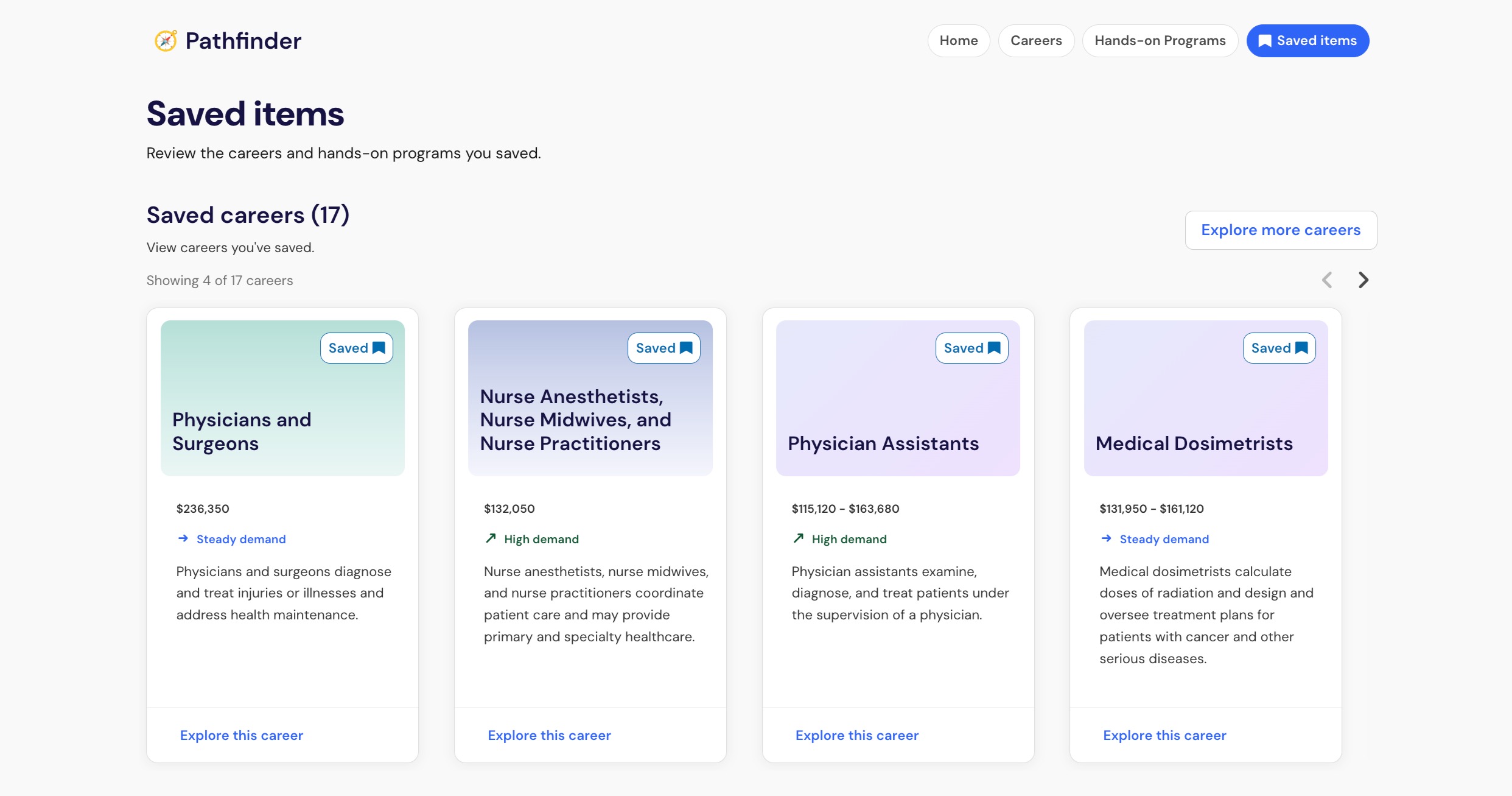
Students can move between a career and related CTE programs without starting their exploration over. This connection can help counselors understand not only what a student is considering, but how those interests may connect to opportunities available through the district.
Use saved interests as advising signals
A saved career or CTE program shows that a student chose to preserve that option for future exploration. Saving an option does not mean the student has committed to it.
Consider saved items alongside the student's own goals, experiences, current coursework, and CTE progress.
For example:
A student saves a career but has not explored a related CTE program. You might discuss the local programs and courses connected to that career.
A student saves a CTE program but has made little progress toward it. The saved program can create an opening for a future course-planning conversation.
A student is progressing toward a CTE program they have not saved. You can ask whether the program still connects to the student's interests or whether their goals have changed.
A student saves several related careers. You can help the student compare education, training, work environments, and related CTE opportunities.
A difference between student interests and current coursework is not automatically a problem. It can provide useful context for a conversation about what the student wants to explore next.
View Pathfinder insights in student profiles
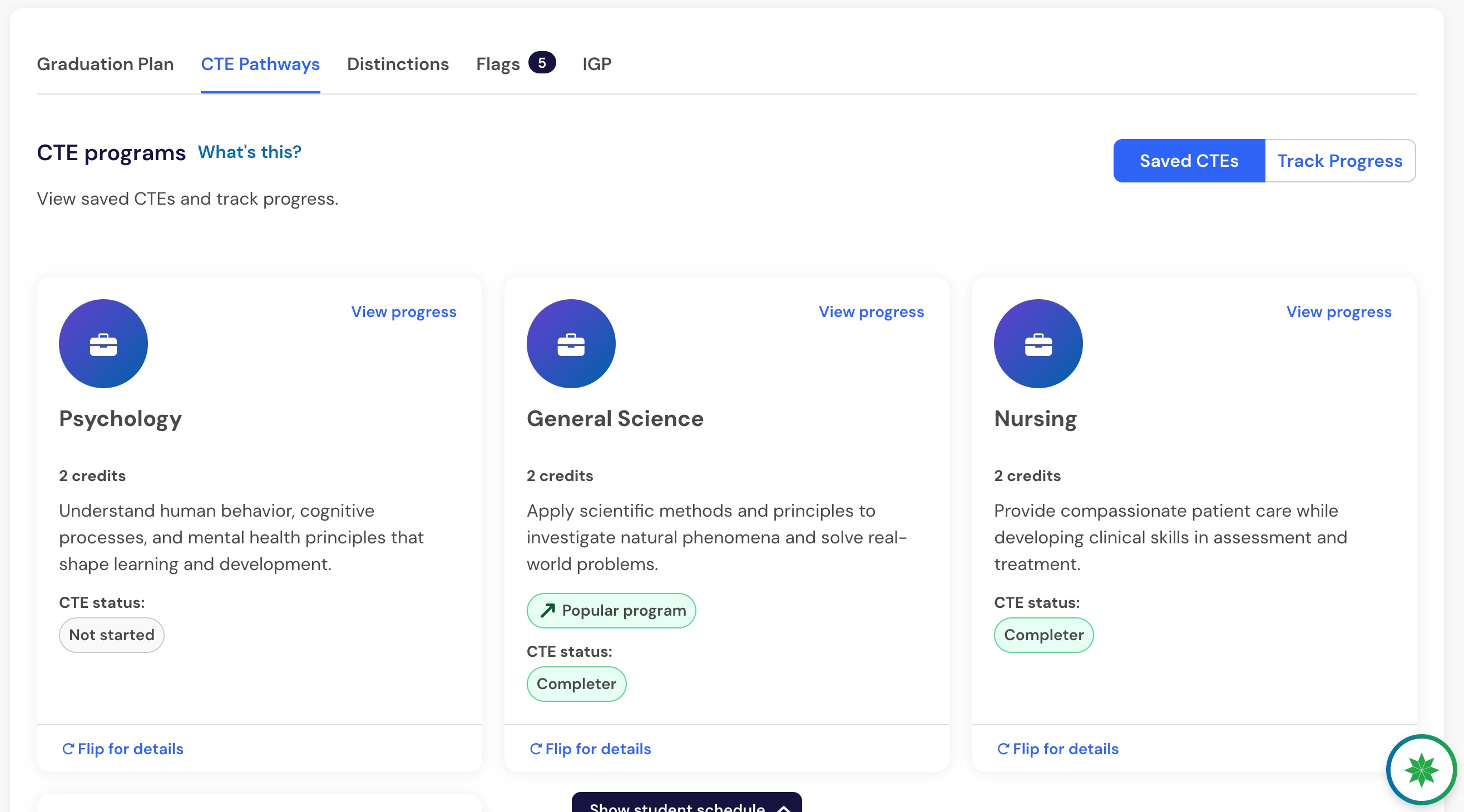
Within a student's Panorama Pathways profile, educator visibility may include:
Saved careers.
Saved CTE programs.
Progress toward saved CTE programs.
Other CTE programs the student is progressing toward.
Connections between saved interests and current coursework.
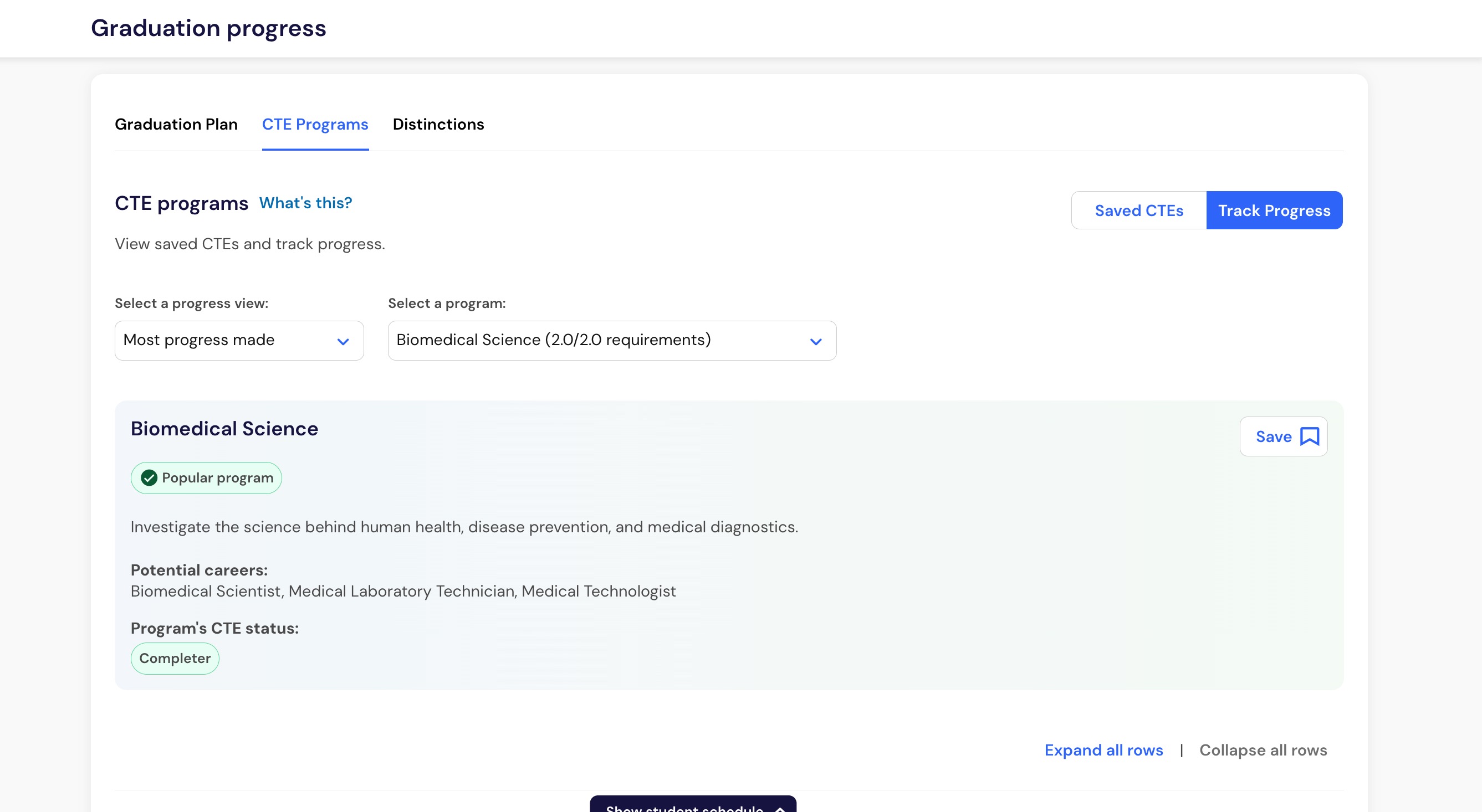
Existing CTE progress information can also help you understand which requirements and courses are contributing to the student's progress.
Note: Career exploration does not create a separate career-progress calculation. CTE progress is based on your district's configured CTE requirements and the student's Pathways data.
Guide student conversations with curiosity
Pathfinder can give you a starting point before a student meeting without determining where the conversation should end.
Questions based on a student's saved interests might include:
What interested you about this career?
What did you learn that surprised you?
Which parts of this CTE program appeal to you?
How do these careers compare with what you imagined doing before?
Would you like to explore courses connected to this interest?
Are there other options you want to compare before making plans?
Has anything changed since you saved this option?
These questions give students room to explain their thinking in their own words. They also help distinguish an emerging interest from an option the student is ready to pursue more actively.
Connect career interests to CTE opportunities
One of Pathfinder's key benefits is the connection between individual careers and the CTE programs and courses offered by a student's district.
A student exploring a career may discover a related CTE program available locally. A student exploring a CTE program can also review careers connected to that program.
Counselors can use these connections to support conversations about:
Course selection.
CTE program awareness.
Education and training requirements.
Credentials connected to a CTE program.
Similar careers a student may want to explore.
Opportunities the student may not have considered previously.
Pathfinder does not automatically register students for courses, assign students to CTE programs, or change student schedules.
Use interest patterns for broader planning
School- and district-level reporting may provide aggregate information about students' Pathfinder interests alongside existing CTE progress information.
Reporting may include:
Careers students save most frequently.
CTE programs students save most frequently.
Career-interest patterns across a school or district.
Existing CTE progress information.
Comparisons between student interest and CTE participation or progress.
These patterns can support discussions about:
Counselor and advising strategies.
Awareness of existing CTE programs.
Course and program planning.
Student outreach.
Staffing and resource needs.
Differences between student interest and access to coursework.
Important: Saved interests represent exploration, not final student commitments or guaranteed enrollment demand. Use aggregate interest data as one input when making program decisions.
Interpret Pathfinder recommendations appropriately
Pathfinder uses student context, district configuration, and career information to generate recommendations.
Depending on the information available, recommendations may consider:
Student responses and custom interests.
Saved careers and CTE programs.
Courses and academic progress.
Attendance context.
Life skills survey context.
CTE programs and courses configured by the district.
National, state, and regional career and labor-market information.
Life skills information can help Pathfinder strengthen or identify additional recommendations. Life skills information is not used to remove career or CTE options from a student's recommendations.
Recommendations are intended to help students discover possibilities. They do not identify one correct career or CTE program for a student.
Frequently Asked Questions
Do counselors use Pathfinder directly?
No. Students use Pathfinder through Panorama for Students. Counselors use the resulting saved interests and related insights through the Panorama Pathways educator experience.
What can counselors see after a student uses Pathfinder?
Educator visibility may include saved careers, saved CTE programs, CTE progress, and relationships between interests and coursework. Available information depends on your Pathways access and the reporting available to your district.
Does saving a career mean the student chose that career?
No. Saving a career shows that the student wanted to preserve it for future exploration. Use saved careers as conversation starters rather than final student decisions.
Does saving a CTE program enroll the student?
No. Saving a CTE program does not register the student for courses, assign the student to the program, or change their schedule.
Can Pathfinder recommend CTE programs outside our district?
No. CTE recommendations are limited to programs configured and offered through your district's Panorama Pathways setup.
Can Pathfinder recommend careers outside our CTE offerings?
Yes. Pathfinder supports broader career exploration while connecting careers to relevant district CTE programs and courses when those connections are available.
Are wage and employment projections guaranteed?
No. Wage and employment information supports career exploration and planning. It does not guarantee a particular salary, job opening, or employment outcome.