Enable state standards in Solara
Last updated: September 2, 2026
Enable state standards to let Solara reference maintained state academic standards when responding to educators. The setting is off by default and can be turned off at any time.
Related article: Getting Started with Solara Chat
Who this is for: District administrators who can access Solara Settings in Platform Admin. State standards need to be enabled at the district level before educators can use this functionality.
Before you enable state standards
When state standards are enabled, Solara can retrieve relevant standards from Learning Commons instead of relying only on its existing AI knowledge.
Educators do not need to upload or configure standards themselves. Solara uses the district's state and available grade-level context to identify relevant standards.
Important: State standards are an opt-in feature. Solara sends limited query context to Learning Commons to retrieve relevant standards. Panorama removes personally identifiable information (PII) and other sensitive information before a query is sent.
Enable state standards
In Platform Admin, open Solara Settings.
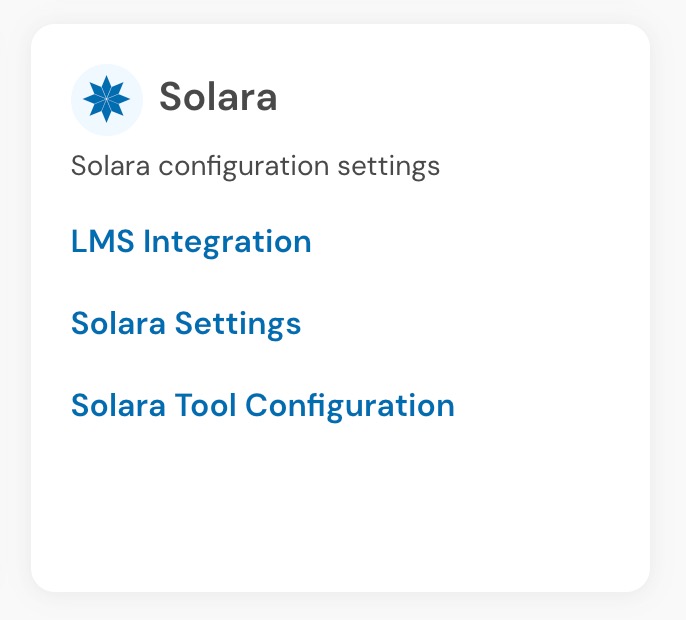
Under AI features, turn on Enable state standards.
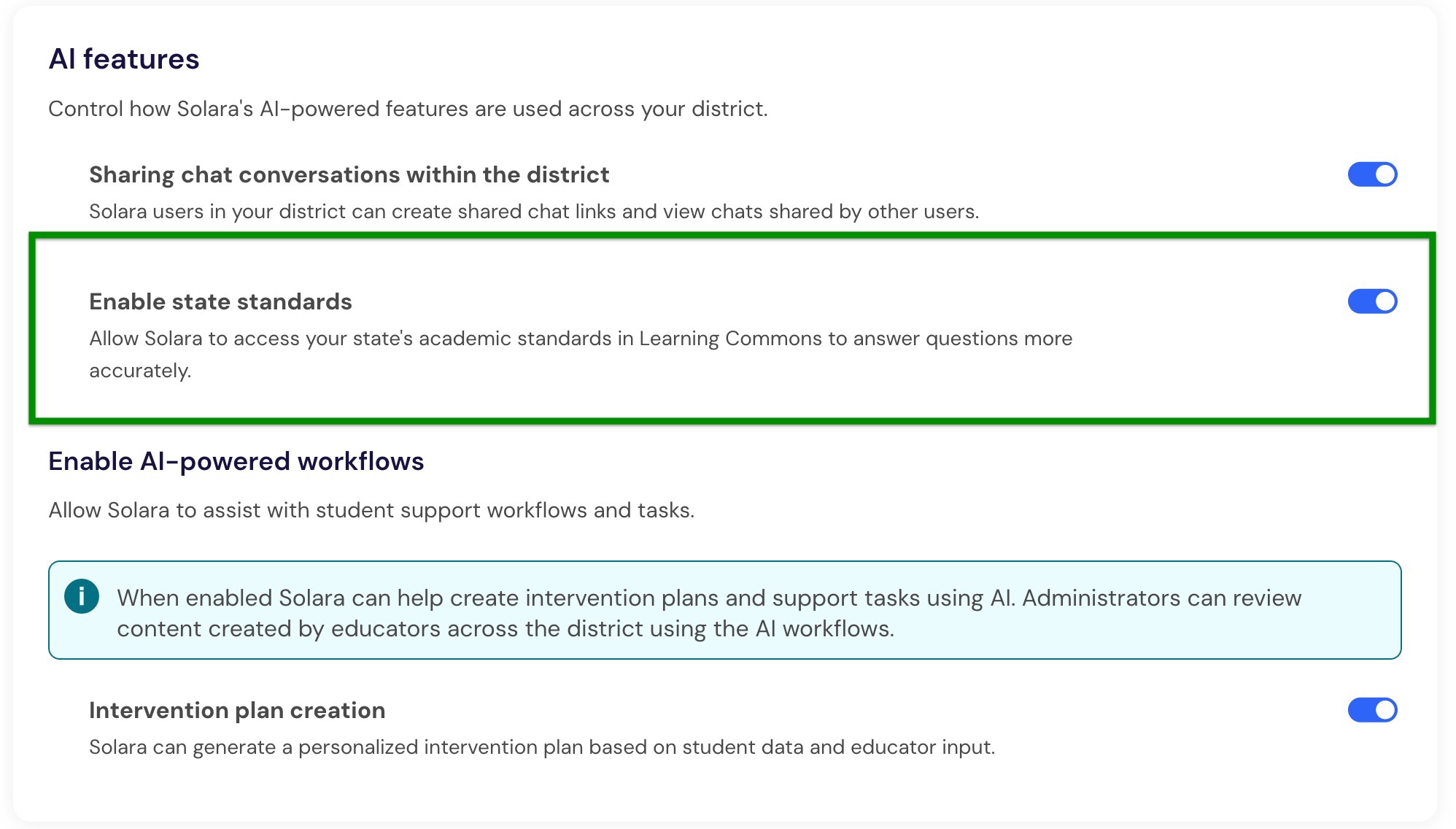
Once enabled, Solara can reference state standards in educator chats across the district.
What educators can do after enablement
After state standards are enabled, educators can:
Ask about a specific standard by code and receive its title and full text.
Describe a topic they are teaching and ask Solara to identify relevant standards.
Ask Solara to incorporate standards into tasks such as lesson or assessment planning.
Review the standards Solara consulted in the sources drawer below a response.
Solara identifies the district's state from existing district information. When grade-level information is available from an associated class, Solara can use that context as well. If the grade level is unclear, Solara will ask the educator to confirm it.

The sources drawer displays the standard code, state, subject, grade level, and full standards text. This gives educators a way to review the standards used to inform Solara's response.

Turn off state standards
You can turn state standards off at any time.
In Platform Admin, return to Solara Settings.
Under AI features, turn off Enable state standards.
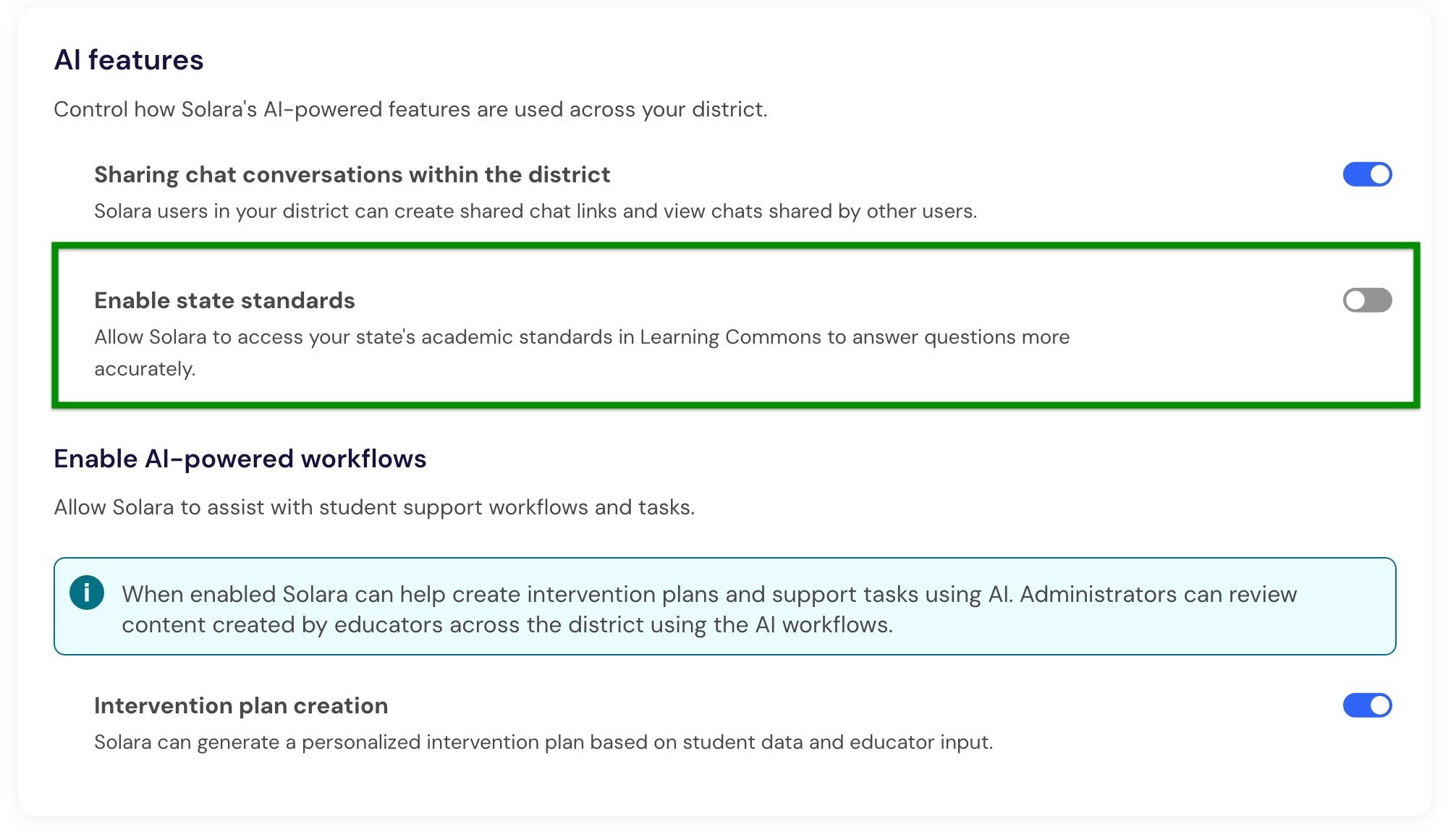
After the setting is turned off, Solara returns to its existing behavior for standards-related questions. Solara may answer from its AI knowledge and recommend verifying standards language against official documentation.
Frequently asked questions
Do we need to upload our district's standards?
No. Learning Commons maintains state academic standards, and Solara identifies the district's state from existing district information.
Does this replace standards uploaded to custom tools?
No. Existing custom tools and Knowledge Bases continue to work as they do today. Enabling state standards gives Solara an additional maintained source for standards-related information.
What happens if Solara can't retrieve a standard?
If standards information is unavailable or no relevant results are returned, Solara can fall back to its existing AI knowledge without displaying an error.