Enable saving Solara documents to student profiles
Last updated: October 8, 2026
Enable document saving in Solara so educators can add finalized PDFs to student profiles. This setting supports Document Editing in Solara.
Related articles
Who this is for: Panorama users with the Customize Solara user permission.
Permission requirements: User permissions are assigned to individual users and are separate from permissions provided through their assigned role.
Panorama recommends granting Customize Solara access to administrators. If you need access, contact someone in your district who manages user access in Panorama.
Enable saving documents to student profiles
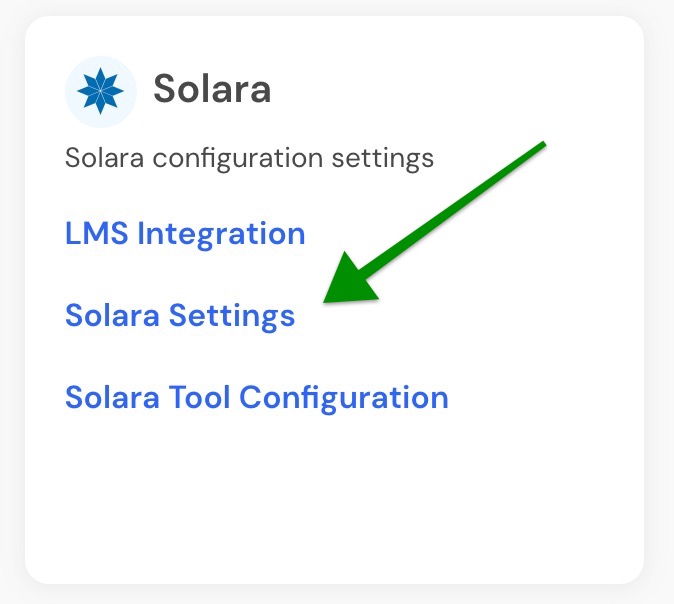
From the Platform Admin page in Panorama, locate the Solara tile and open Solara Settings.
In Solara Settings, enable the Save documents to student profile setting that allows Solara to save documents to student profiles.
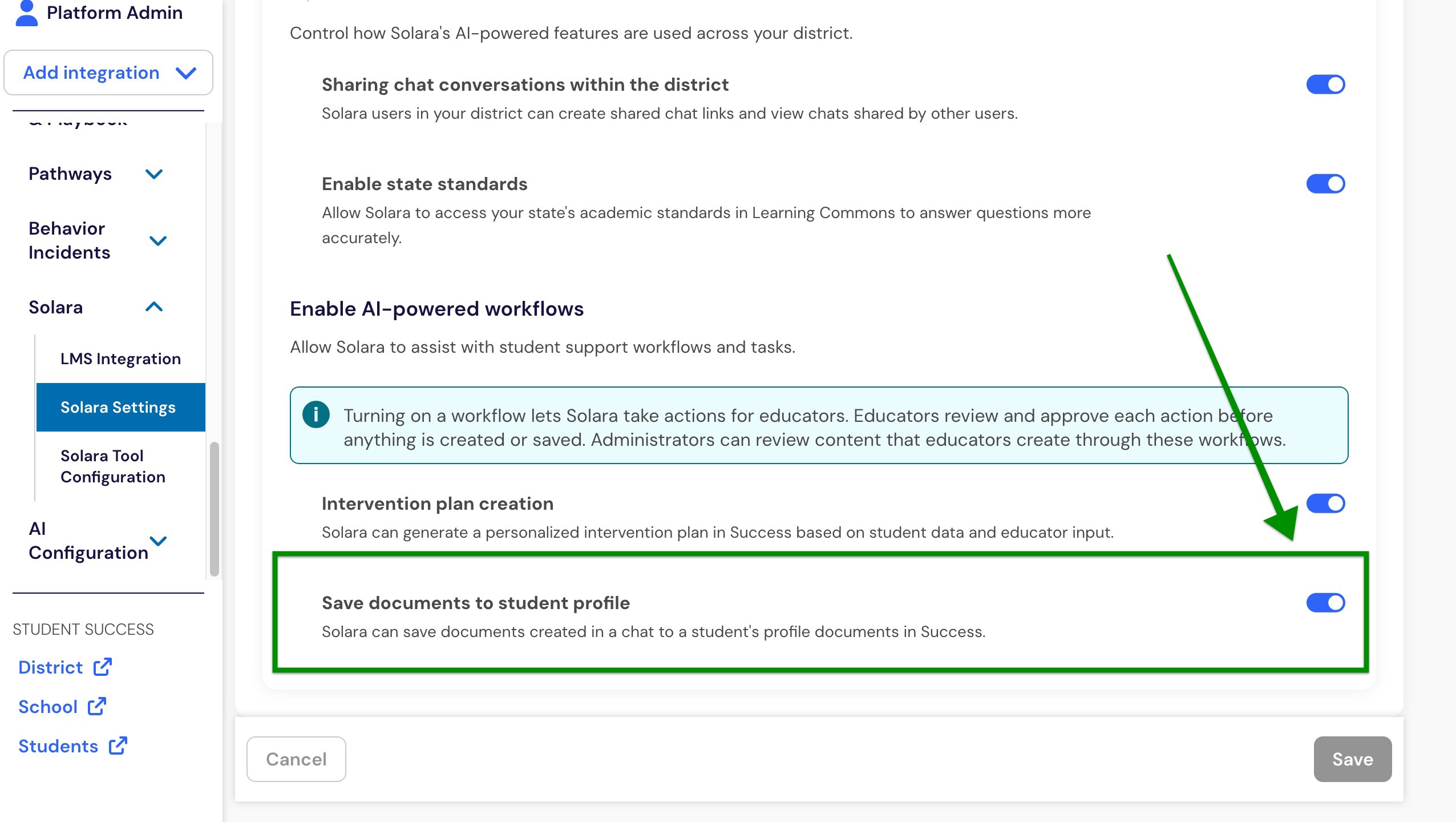
After the setting is enabled, educators can save finalized Solara documents to an attached student's Documents tab in Student Success.
Note: Educators also need access to the student, and the student needs to be attached to the Solara conversation.
Important: This setting controls saving documents to student profiles. Educators can still use Document Editing in Solara for other supported document workflows.