Download and print survey reports as PDFs
Last updated: September 17, 2026
Save a PDF version of your survey reports when you need a static copy to print to a meeting, or review offline.
Who this is for: District administrators, school administrators, and educators who can view survey reports. You can export only the survey report data you already have permission to view.
Download a PDF report from Survey Summary
Navigate to the survey report that you would like to export.
On the Survey Summary page make sure you select the specific survey that you would like to export. If you would like a different survey select that from the "change survey" dropdown.
Select Download PDF Report.
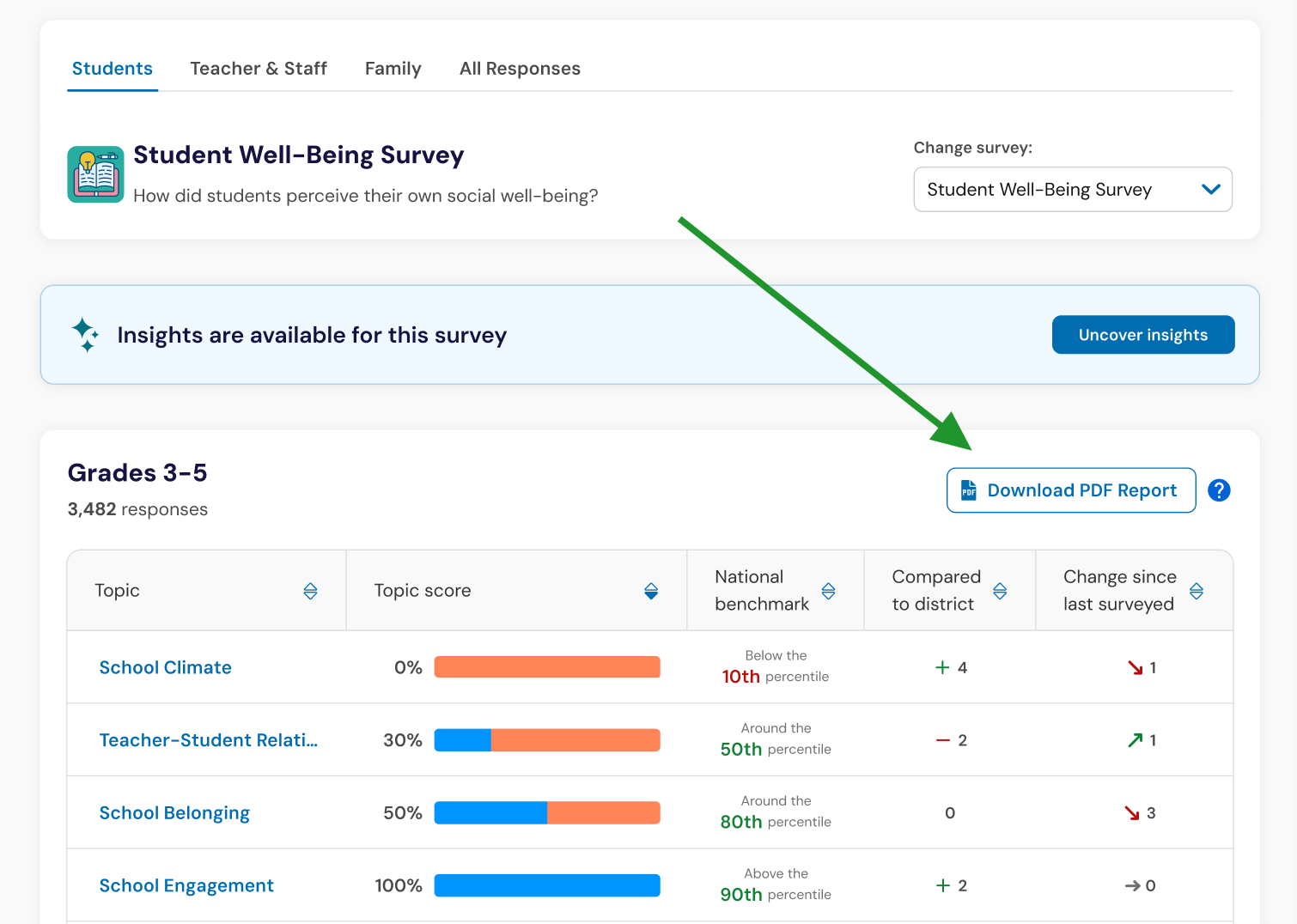
In a few moments, you will have a ready-to-print PDF of your specific survey results.
Important Note: Filters applied to your survey results are not included in the PDF export. The exported report reflects the unfiltered report data available to you.
Review what appears in your PDF report
Each exported PDF includes a cover page that provides context for the report. Depending on your report, the cover page may include:
School, district, or My Reports context
Project name
Survey name
Survey template
Date the report was created
District logo, where supported

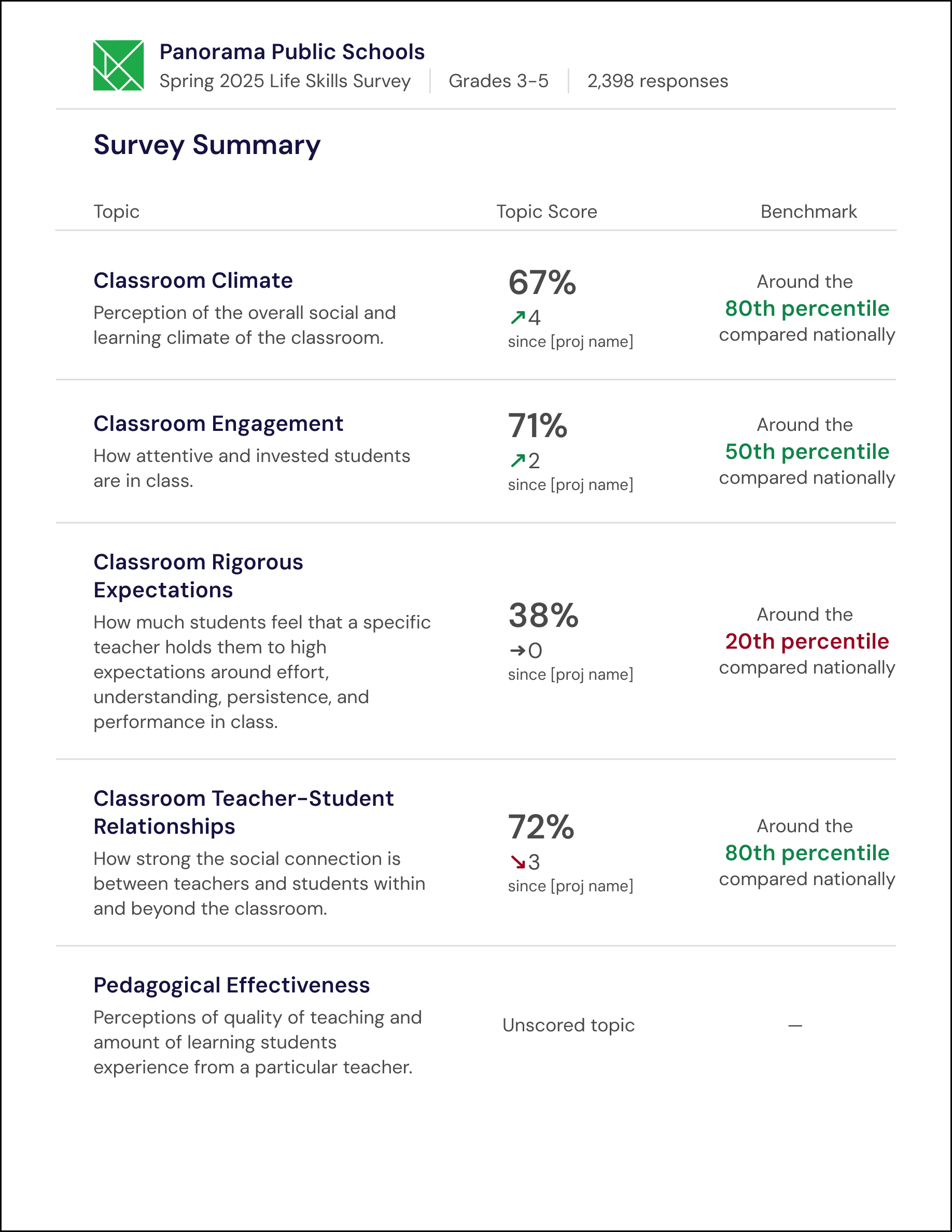
The PDF also includes varies sections of survey results:
Survey summary information
The survey summary may include:
Total number of responses
Topic scores
Topic descriptions
Change since the previous survey
Topic benchmarks
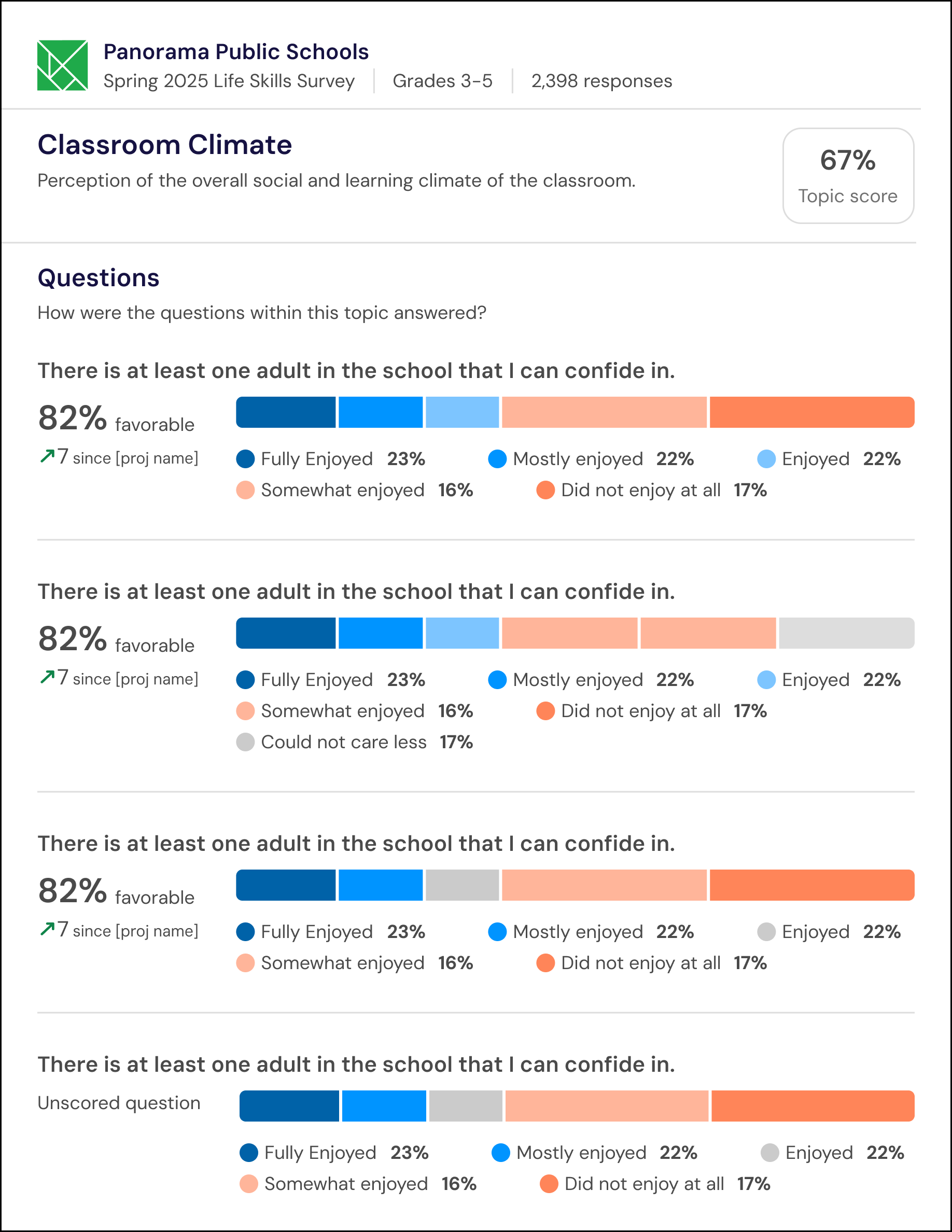
Topic report information
Each topic may include:
Question scores
Answer distribution for each question
Question-level change over time, where supported
School-level reports also include district comparisons so school teams can review results in context.
 |  |
Understand PDF export limitations
PDF exports follow your survey results permissions.
Demographic breakdowns are not included in PDF exports.
My Reports exports are limited to the individual educator's My Survey Results view.
Confidential topics and question scores continue to follow permissions for survey results.