Understanding College Exploration (Beta) in Pathfinder
Last updated: November 24, 2026
Higher education profiles in Pathfinder help you explore colleges and other institutions that connect to your interests and goals. Profiles include information like costs, application requirements, fields of study, and campus community.
Related articles:
📄 Use Pathfinder to explore careers and CTE programs
📄 How counselors can use Pathfinder insights
Who this is for: Students exploring higher education options and educators supporting their planning. Higher education exploration is available in beta for eligible Pathways clients with Pathfinder enabled.
Access requirements: Higher education exploration is available in beta for eligible Panorama Pathways clients. Students need access to Panorama Pathways with Pathfinder enabled.
Institution profiles are available in Higher Education within Pathfinder in Panorama for Students. Explore opportunity opens an institution’s profile from its card.
Educators with access can view a student’s saved institutions from the student’s Pathfinder activity tab. Educator views do not include student save controls or suggested question buttons.
Use the information to identify options worth exploring and prepare questions for conversations with your counselor or family.
Available information varies by institution. Some details may be missing or reflect an earlier reporting period. Confirm current requirements, costs, and offerings with the institution.
A dash with Data not available means a value is unavailable. It does not mean the value is zero.
The Higher Education page shows institution cards with information you can review before opening a profile.
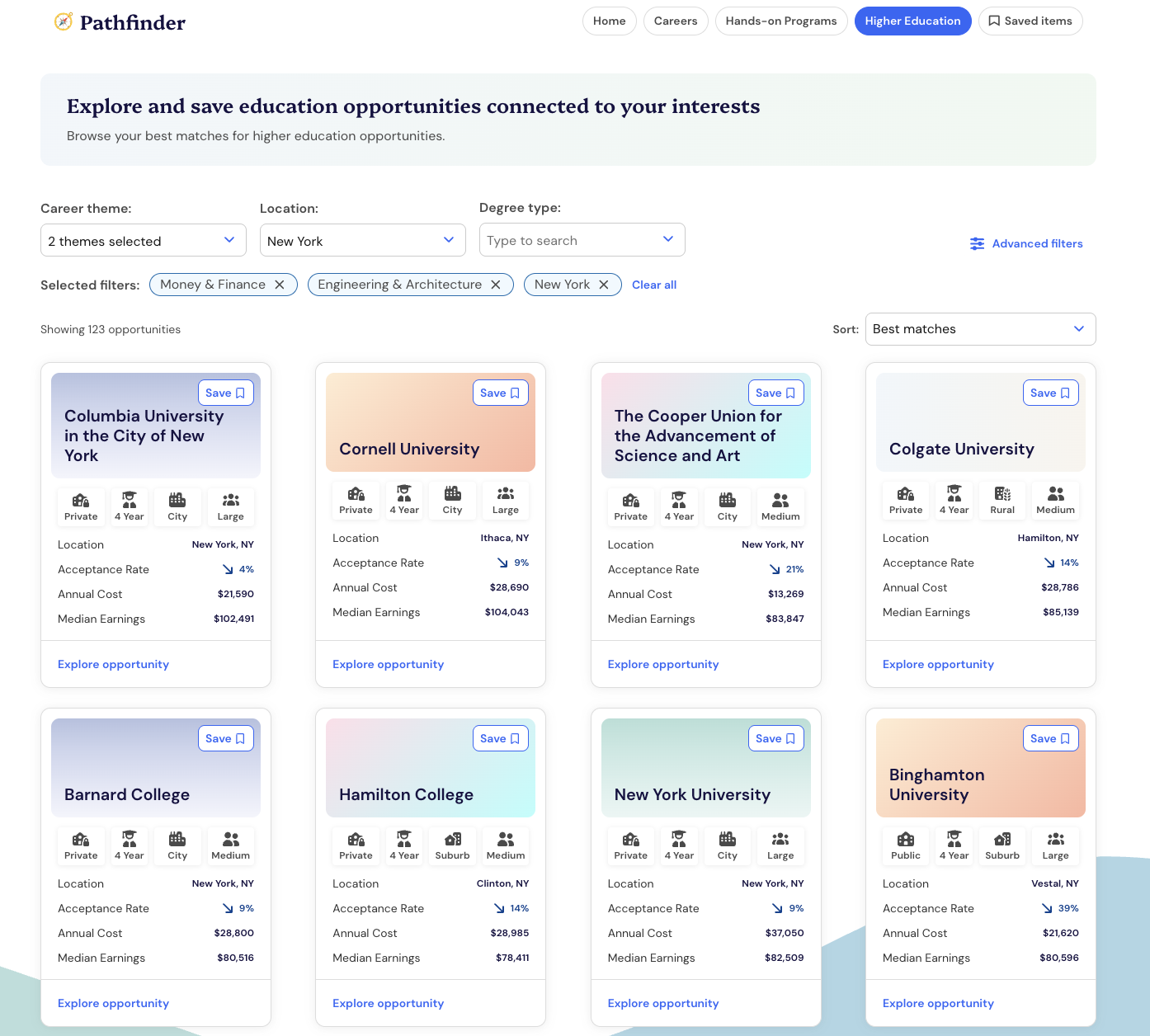
Institution overview
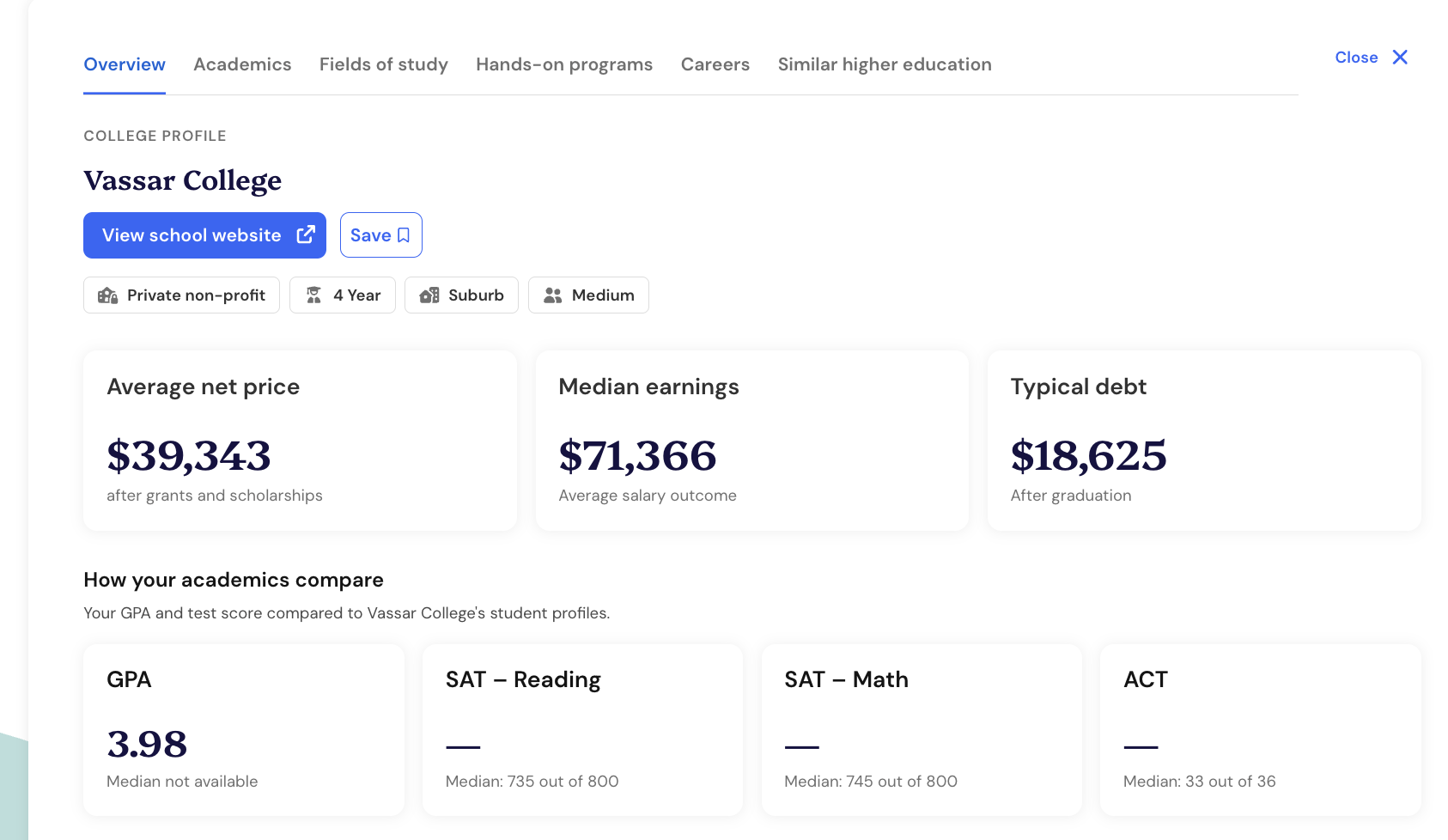
The overview introduces the institution, including information like its location, size, institution type, and main degree level. It also highlights leading fields of study.
Depending on available information, the overview may include:
Acceptance rate: The percentage of applicants admitted.
Graduation rate: The percentage of students completing their program within the displayed time period.
Net price: The average annual cost after grants and scholarships, with options for different family-income groups.
Typical loan debt: The median total debt among graduates who borrowed.
Pell grant recipients: The percentage of undergraduates receiving Pell grants.
Net price provides a starting point for exploring affordability. It is an average, rather than a personalized cost or financial aid offer.
Academic fit and application requirements
Academic fit information helps you explore how your available SAT or ACT scores compare with an institution’s reported score ranges.
The chart’s middle 50% shows the range between the 25th and 75th percentiles for enrolled first-year students who submitted scores.
The SAT option separates Reading and writing from Math. The ACT option shows a composite score.
When your scores are available, the chart displays your score alongside the institution’s range. Without a personal score, you can still review the available institution data.
A chart without institution data displays No data to display. A missing score or range does not indicate a low score.
Note: Score ranges describe enrolled students who submitted test scores. They do not predict your likelihood of admission.
Application information is grouped into Required to apply and Considered if you submit them. Available items may include high school records, recommendations, test scores, and essays.
Requirements vary by institution, and some institutions do not provide this information. Check the institution’s current admissions guidance when preparing an application
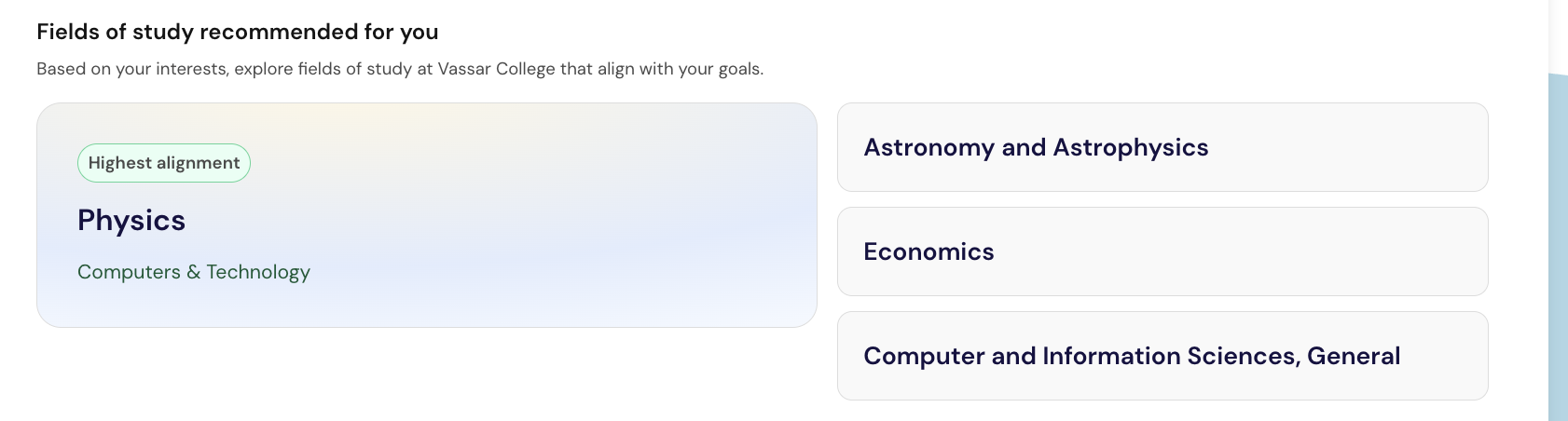
Recommended majors
Recommended majors connect your interests with fields of study offered by the institution. The strongest recommendation appears first and is marked with a star.
Major cards may include connections to related careers and programs at your high school. These connections help you explore how your current interests and coursework could connect to future study.
For students, opening a recommended major shows a description and links to related programs and careers.
A related high school program does not indicate a partnership with the institution or guarantee admission.
Campus community
Campus community information helps you consider the environment and experiences that matter to you. Depending on available information, profiles may include:
Student race and ethnicity.
Full-time and part-time undergraduate enrollment.
On-campus food and housing costs.
Residential life information.
Varsity sports.
Use these details to develop questions for a campus visit or conversation with an admissions representative.
A missing housing cost does not necessarily mean housing is unavailable. When an institution does not offer campus housing, the profile displays No campus housing.
Similar opportunities
Similar higher education opportunities introduce other institutions to explore. Reviewing these options can help you broaden your search and consider institutions you had not previously explored.
The location filter applied on the Higher Education page does not carry over to similar opportunities within an institution’s profile.
Using profiles in your planning
Use institution profiles to identify options that connect with your interests, priorities, and goals.
Students can save opportunities to revisit in Saved Items. Selecting the save control again removes an opportunity from saved items.
Bring questions to your next planning conversation. For example: “Which current cost and admissions details should I confirm before I explore this institution further?”
Profiles support exploration. Recommendations and reported outcomes do not guarantee admission, financial aid, or future earnings.