[Team Sandbox] Documentation Guidelines
Last updated: June 16, 2026
Panorama Academy Content & Style Guide
This Panorama Academy style guide is a go-to reference when writing and editing copy, designing content or creating other resources for Panorama Academy articles. The goal of this style guide is to promote consistency across all of Panorama Academy, and ensure the creation of future articles and content is streamlined and efficient. This document will be:
- Easily discoverable: Versions should live in Panopedia and Zendesk, for all teams to find.
- Relevant and helpful: Used appropriately to simply, organize, and breakdown our content.
- Easy to maintain: Can be easily edited and updated as Panorama Education and the Product Education team scales and grows.
- Enhancing for Onboarding: For new team members to learn about Panorama Academy resources, Zendesk HTML coding, and link to relevant materials.
Remember there are no hard and fast rules just a set of recommendations and guidelines to help you focus on the main goal, making digestible and efficient content for educators using our Panorama Products!
Voice & Tone
Writing in our voice and tone is important because it creates one cohesive language that shows our personality, and creates a connection to our audience.
- We use the language educators use, and make the complex clear and direct
- We're positive, empathetic, and focused on what matters to people
- We're inclusive, accessible, and welcoming to everyone
-
The Point of view is important for how our readers interpret our products, instructions, and other important details when adopting Panorama tools.
- First person is the I/we perspective.
- Second person is the you perspective.
- Third person is the he/she/it/they perspective.
See some recommendations and examples below:
Context: Example: First person works well for product, feature, or event announcements.
- We’re excited to announce Panorama’s new check-ins tools. See example in Feature Release Articles.
- Join us for Community Workshop where we will review steps to launching Panorama's new checkin/checkout tool!
Second person is great for instructional content and guides.
This helps to address the reader directly and provide a sense of ownership to the reader as they adopt our tools. It’s also OK to use first person or even third just be mindful to avoid any confusion!
- In this video, you'll learn how to read the questions on your survey so you can select the best answer choice.
- Click on your Student tab ins Student Success to access your dashboard.
- This guide is a view of possible permissions available to you and your staff members.
Third person helps explain concepts, reflection worksheets, research, and example use cases, you may mix first person as well! - This intervention can help students self-regulate their emotions.
- We sat down with Jane Doe and John Moore at Panorama Public Schools to learn about their experience with Panorama. They shared how their district is using Panorama Student Success to support students.
-
Our Audience is primarily educators, administrators, and staff that serve K-12 school and districts. We want to maintain trust, and empathy, credibility with our audience, so it’s important to acknowledge that:
- Educators can be a broad audience term that encompasses: teachers, guidance counselors, media specialists, support staff, etc.
- Educators have a lot on their plate, we should aim to be concise with our language.
- Educators are visiting our page to learn and make a supportive impact for their students and community
We want to use language that addresses the reader as a professional, ensures we are being clear on complex topics, and is friendly and conversational.
Context: Example: You can address the potential readers and users of Panorama product's as "Educators" or "Administrators".
Additional terms such as "Teachers", "Coordinators", "Counselor", or "Specialists" can be found in our documentations.
Refer to students as “students,” “learners,” or “scholars.” You can also try substituting with terms such as “high schoolers” or “middle schoolers.”
Do NOT use terms like “kids” or “kiddos.”
- "As an educator, you might want to learn more about your students who receive intervention supports."
- "By establishing how students feel about their school experience, teachers can set goals to improve and develop actionable steps to achieving those goals."
- "By filtering your Student Success data for grades 6,7, and 8 you can see how your middle schoolers are self reporting their SEL skills."
Aim for Active voice, primarily when where Subject (Educator) is performing actions"Click the Admin tab to access user accounts" Be mindful of word choices. Be direct, and use short sentences. (It's okay to use some jargon, especially if it applies to educational systems and frameworks, but make sure to explain or link to the definition.) "The data in your Behavior Analytics dashboard will show the current year's data by default. The new school year will not have any data until we start receiving data from your data systems. Therefore, the new year will start empty, and educators will have the ability to toggle back to the previous year." When offering support or instructions (more information on instructional articles is provided in X category), include:
- step-by-step instructions if possible
- Answer the question the content is meant to solve.
- Remember write from the user perspective, use client-facing language and not internal language.
- Use hyperlinks at strategic points to breakdown and format the article (more on this later). This helps share additional content without being repetitive or cluttering the space
Click on the links below to review some examples featured in our How-to/Instructional Articles:
- How to distribute surveys via email
- How should I proctor to ensure the best results?
- Exporting Data
- Confidential Vs Anonymous Surveys
If you using an example:
- Make sure you focus on user goals!
- Create content with an actual use case
- Try and stay positive; when possible try to phrase sentences positively.
Example Article:
Lastly, do not approach your writing through a sales lens. Panorama Academy is about clients learning how to adopt our tools to support school districts students, staff, and their communities. Explaining the benefit of the feature and, depending on the type of content, promoting an event or course is okay. It should never come off as salesy, we already have many sales, marketing, and promotional content that other teams at Panorama are developing. 🙂
-
Panorama Education reaches many communities across the country. It is essential that our communication and language is inclusive to the diverse communities we serve. Inclusive language can be defined as:
-
- Free from phrases and words that reflect stereotypes or discrimination.
- Explaining ideas or concepts clearly, without excluding groups of people
- Using language that respects people’s identities, and reduces harm.
- People-first language, keeping the individual as the most important part of the conversation, unless characteristics such as gender, racial group, disability, cultural nuances, etc are relevant to the conversation.
However, we want to be mindful that many of these characteristics will come up in our articles since we work with school districts with diverse communities. Identity-first language can be used, because recognizing for example disability, race or gender can be an integral part of someone’s identity and feel that person-first language is marginalizing.Some of this language can be new or confusing, we highly recommend asking or researching if you are not sure. Below you can find some guidelines that can help walk you through inclusive and diverse language as it pertains to many themes you will see in Panorama Academy.
Context: Example: For “how to” content, try to write in the second person to address the reader directly. It’s also OK to use first person!
You can address the potential reader and users of Panorama product's as "Educators" or "Administrators"
- In this video, you'll learn how to read the questions on your survey so you can select the best answer choice.
- As an educator, you might want to learn more about your students who receive intervention supports.
-
Capitalization for Product Titles & Naming Conventions
In this section we will focus on guidance for our product titles, common naming conventions, and typical capitalization. Panorama Education is always growing and researching new frameworks to support educators, we are constantly developing new tools and features as well as expanding on our current products. Therefore, it is important to maintain consistent naming conventions and capitalization for Panorama products and frequently used terms.
-
Panorama products, tools, and features are should follow the below naming conventions and capitalization:
Context:
Example: Abbreviations/Additional Context Product Titles
- Feedback Surveys
- Student Success
- Social Emotional Learning
- Panorama for Postive Behavior or Positive Behavior
- Social Emotional Learning = SEL
- Panorama for Positive Behavior = POSBEE (internal use only)
Panorama Survey Names:
- Panorama Social-Emotional Learning Survey
- Panorama Student Survey
- Panorama Equity and Inclusion Survey
- Panorama Teacher and Staff Survey
- Panorama Family-School Relationships Survey
- Panorama Well-Being Survey
- n/a
Survey Topic Names
Capitalize survey topic names when referring to survey administrations or Panorama products:
EX: The district measured Growth Mindset, Sense of Belonging, and Self-Efficacy
Lowercase the term “social-emotional learning.”
Lowercase SEL competencies when generally speaking to skills and topic areas.
EX: The district hopes to improve students’ growth mindset and sense of belonging.
Additional Ad-ons/Offerings
- Check-ins
-
Panorama Intervention Management for MTSS & RTI
- Family Engagement
- Community Workshops
- Professional Development Workshop
- Playbook
- Check-in/Check-out
-
The Integration Credentials Tool
- SEL Progress Monitoring
- Next GEN SEL Reporting
Additional Capitalizations -
MTSS/RTI:
multi-tiered system of supports/response to intervention
-
Capitalize Tier 1, Tier 2, and Tier 3.
-
Capitalize Tier 1, Tier 2, and Tier 3.
-
Classes/Courses/Subjects
- Race/Ethnicity
-
MTSS/RTI
- Lowercase multi-tiered system of supports when speaking about it generally.
- Exception: If a district capitalizes this term when referring to their own MTSS.
- DO NOT use Roman numerals for tiers (e.g., Tier I, Tier II).
-
Classes/Courses/Subjects
-
Lowercase general references to academic subjects.
e.g., mathematics, biotechnology, choir, band -
Capitalize the language arts.
e.g., English language arts, Spanish, Japanese, French -
Capitalize if it is a specific course or followed by a numeral.
e.g., Beginning Choir, English 1, Math II, Biology 2
-
Lowercase general references to academic subjects.
-
Race/Ethnicity
-
Capitalize Black and Brown.
-
e.g., a Black and Brown education leaders panel
-
-
Capitalize: Hispanic, African-American, Native American, Asian and Pacific Islander, Caucasian.
-
-
Naming Conventions
Below you will see typical naming conventions we use across Panorama Academy and our marketing materials.
Naming Conventions
Example: Additional context: Platform Pages/ homepages
Success Role-based home pages
Success Pages:
- Global overview page
- District overview page
- School overview page
- Student overview page
Intervention plans:
- Intervention dashboard
- Plans summary
- Group plans
- All intervention plans
- Tiered interventions report
- Tier reports
Students:
- Students overview
- Student groups
- Birthdays
Reports:
- Behavior report
- Attendance report
- Mathematics report
- ELA report
- Custom reports
Check-ins
- Check-ins overview
- Check-ins responses
Positive Behavior
- View all records
- Log an incident
- Positive Behavior dashboard
Success Role-based home pages
Educational Methods/Frameworks
-
MTSS/RTI:
multi-tiered system of supports/response to intervention
-
Capitalize Tier 1, Tier 2, and Tier 3.
-
Capitalize Tier 1, Tier 2, and Tier 3.
- SEL (social-emotional learning)
-
behavior-specific praise vs. behavior specific praise
-
PreK — short for prekindergarten
-
district-wide vs. districtwide (Note: This goes against AP style)
-
school-wide vs. schoolwide (Note: This goes against AP style
-
campus-wide vs. campus wide (Note: This goes against AP style)
-
The CASEL 5 competencies may be capitalized in certain cases when referring to that specific framework.
-
The Capitalization Tips is important for how our readers interpret our products, instructions, and other important details when understanding our products.
- First person is the I/we perspective.
- Second person is the you perspective.
- Third person is the he/she/it/they perspective.
See some recommendations and examples below:
Capitalization
MTSS/RTI
Lowercase multi-tiered system of supports when speaking about it generally.
Exception: If a district capitalizes this term when referring to their own MTSS.
DO NOT use Roman numerals for tiers (e.g., Tier I, Tier II).
Race/Ethnicity
-
Capitalize Black and Brown.
-
e.g., a Black and Brown education leaders panel
-
-
Capitalize: Hispanic, African-American, Native American, Asian and Pacific Islander, Caucasian.
Grade Levels
- Spell out most grades: first, second, third, fourth, fifth, sixth, seventh, eighth, ninth, BUT use numerals for the final three as per AP Style: 10th, 11th, 12th
- Use numerals for the grade number if it follows the word “grade”: grade 1, grades 6-8, grades K-2.
- Note: This is counter to AP Style. AP would spell out numerals under 10, even for grades.
Classes/Courses/Subjects
-
Lowercase general references to academic subjects.
e.g., mathematics, biotechnology, choir, band -
Capitalize the language arts.
e.g., English language arts, Spanish, Japanese, French -
Capitalize if it is a specific course or followed by a numeral.
e.g., Beginning Choir, English 1, Math II, Biology 2
Common Types of Articles
Instructional
- These types of articles/tutorials are about how to navigate our products. This includes walkthroughs of different components of our tools such as reports, pages, buttons, etc
- These articles may include feature overviews, setup guides, how-tos, troubleshooting, and FAQs.
Informative
- These types of articles provide information about concepts (e.g. SEL) or implementation methods (e.g. communication strategies).
- These articles focus on concepts or frameworks, best practices, & feature release notes
| Article type: | Instructional | Informative |
| Examples: |
|
|
|
Additional content: (These items are not exclusive to either article type, but can be used if necessary such as an FAQ sections or a video) |
Typically include: Note callouts, Images of the platform, Numbered lists for step by step instructions, Video |
Typically includes: FAQ Section, Take Action Callout, Definitions Video, Detailed Use Cases |
| Recommended formatting tools/elements: | Bulleted or numbered lists, Blue or Green callouts, Tabs, Toggles (details below on code and formatting) | |
Style principles and Zendesk
We use the below Zendesk article editors to help format our content in Zendesk. You can click the source code in the editor to copy and past any html coding into live or new articles when necessary.
- Formating
- Tabs
- Collapsable Tabs
- Images (To be added)
- Videos (To be added)
- Callouts
- Badges
Formating
Bolding
- use Bold to indicate name of pages, products, frameworks and tools in articles
🟦 Bolding Product or Feature Names (e.g., Strategic Priorities Advisor)
-
Rule:
Bold the feature name only when it refers to something the user can click, find, or turn on in the platform.
Use plain text when describing the feature conceptually or narratively. - ✅ Bold when:
-
Referring to a UI element or navigation step
Example: Select Strategic Priorities Advisor from the sidebar.
-
Mentioning the feature name in a title, heading, or callout box
Example: How to Use Strategic Priorities Advisor
- 🚫 Do not bold when:
-
Using the feature name in descriptive sentences
Example: Strategic Priorities Advisor helps district leaders connect their data to strategic goals.
-
Repeating the name multiple times within the same section
Only the first mention in a section should be bolded; subsequent mentions stay plain.
- In short:
💡 Bold for navigation or emphasis. Plain text for explanation or repetition.
Heading
- using Heading 2 more than twice in an article will result in a sidebar menu at the top of the article
Bullet points/Lists: (To be added)
Checklists
-
- Checklists are helpful to indicate multiple requirements for a process or tool as well as highlight articles related articles:
What’s Next?
Visit the below articles in Panorama Academy for more instruction and guidance on launching your surveys.
Checklists v2
Anchoring headings so you can link to them in url
Example of how you can link directly to a paragraph heading by adding #availablepermissions (or whatever you set the keywordhere to be:
https://academy.panoramaed.com/hc/en-us/articles/24880720820628-Managing-User-Roles-and-Permissions-for-Student-Success#availablepermissions
Available permissions
Platform Buttons
  Navigate to
  + New
   and select
  Project .
Navigate to + New and select Project .
Horizontal Line
Toggles
Add collapsable tabs and toggles to help organize and shorten the length of the article
The below is code is what you will see. The data-title will need to be added in order to to have a heading for the title of the toggle.
- Student 1"> = Title of the toggle
Student 1
= heading inside of the toggle
-
Toggle SubTitle 1
Content in Toggle 1
-
Toggle SubTitle 2
Content in Toggle 2
-
Toggle SubTitle 3
Content in Toggle 3
-
Toggle SubTitle 4
Content in Toggle 4
Tabs 1
-
Prepare for Survey
During this phase of the work, you will select from Panorama’s research-backed survey content and then upload a roster file for everyone who will take the survey. Continue to communicate with key champions who will support the survey-taking process. Customize and share Panorama proctor resources to ensure your champions feel prepared and supported.
-
Launch Survey
Once your surveys are live, you can distribute the survey and related support materials. Throughout the survey-taking process, you will be able to monitor response rates and encourage high engagement using these strategies.
TAB TITLE 1 HERE
add long form copy hereTAB TITLE 2 HERE
add long form copy hereTAB TITLE 3 HERE
add long form copy here
Callouts
Use callouts to help highlight and emphasize important information or text pertaining to an article.
Ex1a: Callouts
Using "note" will result in a


blue callout. blue callouts


are for "Please Note", meaning information or text in which we(Panorama) is providing


additional information of a particular product or feature. In code it will be


called "note"
xyzz Using "note" will result in a blue callout. Blue callouts are for "Please Note", meaning information or text in which we (Panorama) are providing additional information about a particular product or feature. In code, it will be called "note".
Text goes here for paragraph 1. This is where you can include any important information or context. You can also use text with color to emphasize certain words or phrases.


Text goes here for paragraph 2. You can include additional content, such as instructions or important notes. For example, if needed, you can add a link like this: support@yourdomain.com.
It is important to note that global administrators can control who has access to free response reporting by user role. Please reach out to support@panoramaed.com for more information about customizing access.
Using"warning" will result in a green callout. Green callouts are for "Take Action", meaning information or text in which we(Panorama) is recommending downloads, watching a video, join a community workshop, etc" however, in code it will be called warning.
This is an example of a standard note available in all themes. You can apply
this style to any content by simply applying the.noteclass name
to a paragraph or container element.
.note class name to a paragraph or container element.Use this code to add the green callout box - paragraph 1
Use this code to add the green callout box - paragraph 2
Use this code to add the green callout box - paragraph 3
Using "note" will result in a blue callout. blue callouts are for "Please Note", meaning information or text in which we(Panorama) is providing additional information of a particular product or feature. In code it will be called "note"
Ex1b: Other Colored Callout Boxes
This is the first paragraph of a teal note. This is an example of a teal note.


This is the second paragraph of a teal note. This is an example of a teal note.


This is the third paragraph of a teal note. This is an example of a teal note.


This is an example of a teal note. This is an example of a teal note.This


is an example of a teal note.This is an example of a teal note.This is an


example of a teal note.This is an example of a teal note.


This is an example of a green note.This is an example of a green note.This


is an example of a green note.This is an example of a green note.This is


an example of a green note.This is an example of a green note.


This is an example of a purple note.This is an example of a purple note.This


is an example of a purple note.This is an example of a purple note.This is


an example of a purple note.This is an example of a purple note.This is an


example of a purple note.


This is an example of an orange note.This is an example of an orange note.This


is an example of an orange note.This is an example of an orange note.This


is an example of an orange note.This is an example of an orange note.
This is the first paragraph of a teal note. This is an example of a teal note.
This is the second paragraph of a teal note. This is an example of a teal note.
This is the third paragraph of a teal note. This is an example of a teal note.
This is an example of a teal note. This is an example of a teal note.This
is an example of a teal note.This is an example of a teal note.This is an
example of a teal note.This is an example of a teal note.
This is an example of a green note.This is an example of a green note.This
is an example of a green note.This is an example of a green note.This is
an example of a green note.This is an example of a green note.
This is an example of a purple note.This is an example of a purple note.This
is an example of a purple note.This is an example of a purple note.This is
an example of a purple note.This is an example of a purple note.This is an
example of a purple note.
This is an example of an orange note.This is an example of an orange note.This
is an example of an orange note.This is an example of an orange note.This
is an example of an orange note.This is an example of an orange note.
Ex2: Callout with other code
In this case you will notice the "checklist" code is inside the "note". Since the checklist code starts with '' , you will need to make sure class= "note" is included in the parent element. For example:
or
addas the parent element.Please see source code for full example.
Your Panorama Content
Ex3: Callout with image
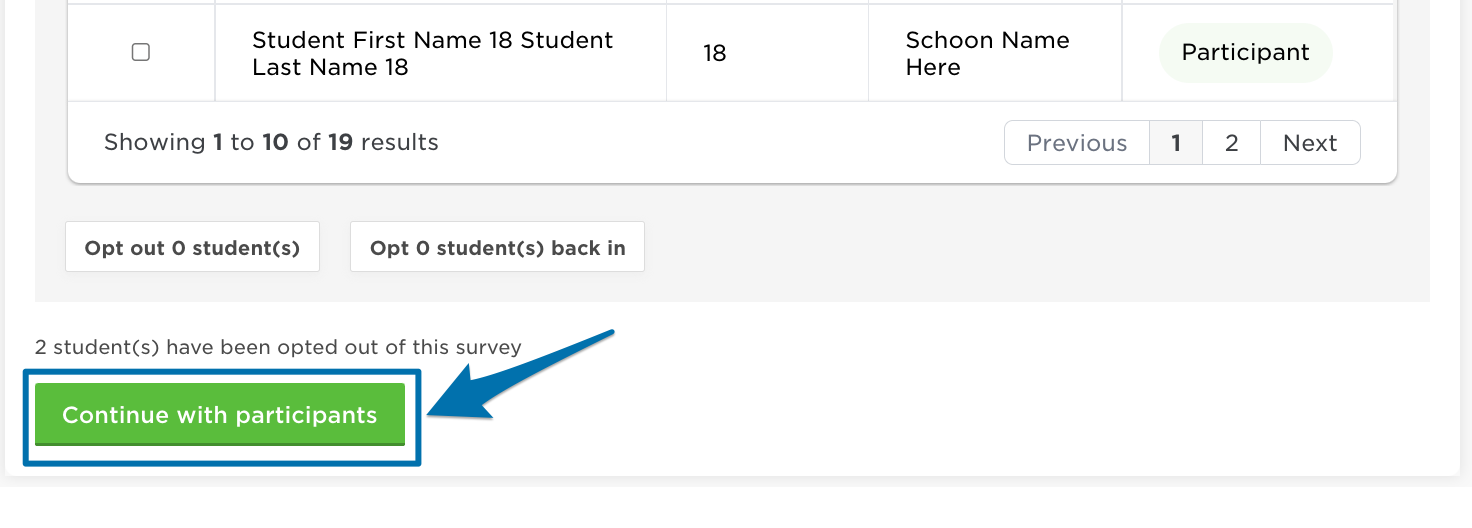
Similar to example 2, you will add class= "warning" to the parent element.
For example:
- Please see source code for full example.

Product Badges (for bottom of article)
Use product badges to indicate what product the article is related to.
Panorama Student Success Feedback Surveys Panorama Surveys & Engagement Social Emotional Learning Panorama Behavior Analytics & Logging Panorama Pathways Panorama Solara Playbook Family Engagement Check-Ins Interventions Behavior Logging & Analytics Family Engagement Panorama AI Class Companion Panorama Platform Misc Category 1 Misc Category 2 Misc Category 3 Misc Category 4 Misc Category 5
Panorama Student Success Feedback Surveys Panorama Surveys & Engagement Social Emotional Learning Panorama Behavior Analytics & Logging Panorama Pathways Panorama Solara Playbook Family Engagement Check-ins Interventions Behavior Logging & Analytics Family Engagement Panorama AI✨
Panorama Student Success


Feedback Surveys


Panorama Surveys & Engagement


Social Emotional Learning


Panorama Behavior Analytics & Logging


Panorama Pathways


Panorama Solara


Playbook


Family Engagement


Check-Ins


Interventions


Behavior Logging & Analytics


Panorama AI


Family Engagement


Class Companion


Panorama Platform


Misc Category 1


Misc Category 2


Misc Category 3


Misc Category 4


Misc Category 5
Panorama sets this


Your district sets this
Buttons
Button
Accessibility (to be added)
- Links to panorama accessibility documents
Branding
Color plays an important role in the Panorama Education identity. The colors, indicated to the right, make up the main Panorama Education brand palette. This palette works to ensure a base level of color consistency throughout brand communications. Consistent use of these colors will contribute to the cohesive look of the Panorama Education brand identity across all relevant media.
|
Quick Reference Guide |
|
|---|---|
|
Marketing Typeface (Font) |
Proxima Nova - Staying the same |
|
Primary Colors |
  |
|
Secondary Colors |
     |
|
Grays |
  |
|
Understanding Web |
  |